




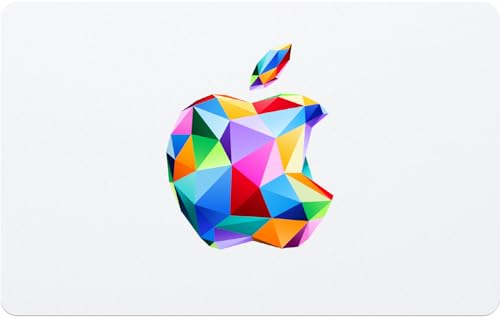
Apple iTunes Gift Card(TR)
This Apple iTunes Gift Card can only be used with Apple Accounts registered in Turkey.
SELECT OPTION

Description
How to Buy a Gift Card
- Choose your preferred Apple iTunes Gift Card denomination and region, and make sure it matches your Apple Account's registration region.
- Confirm the denomination, region, and order details, then complete your payment securely.
- Once payment is successful, receive your Apple iTunes Gift Card redemption code.
- Visit an official Apple redemption channel, enter your code, and complete the redemption.
About Apple iTunes Gift Cards
Apple iTunes Gift Cards are digital redemption codes that can be used to add funds to eligible Apple Accounts, depending on the region supported by the code. Once successfully redeemed, the funds will be added to your Apple Account balance and can be used for eligible Apple services and digital purchases.
Depending on your account region, the code's supported region, and Apple's policies, your Apple Account balance can be used for supported apps, games, in-app purchases, Apple Music, Apple TV, movies, iCloud+, subscriptions, and other eligible Apple digital content. This product is suitable for users who want to add funds to their Apple Account for Apple services and App Store purchases.
Why Buy Apple iTunes Gift Cards on UUTOP?
- Digital Code Delivery: Receive an Apple iTunes Gift Card code after purchase and redeem it yourself through official Apple channels.
- For Apple Users: Add funds to eligible Apple Accounts according to the region supported by the code.
- Flexible Spending: Use the balance for eligible apps, games, subscriptions, music, movies, iCloud+, and other supported Apple content.
- No Password Required: UUTOP does not require your Apple Account password, OTP, verification codes, or login information.
- Multiple Regional Options: Choose from Apple Gift Card codes for different regions based on the supported usage stated on the product page.
How to Redeem Apple iTunes Gift Cards
- Open the App Store app.
- Sign in to the Apple Account where you want to redeem the code.
- Tap your profile picture or the relevant account menu.
- Tap Redeem Gift Card or Code.
- Enter your Apple iTunes Gift Card code correctly, or use the scanning option if available.
- Check that the redemption details are correct.
- Confirm the redemption.
- Once completed, check your Apple Account balance or the redemption result.
The redemption steps may vary depending on your device, operating system version, and region. Follow the instructions shown in the official Apple app or on Apple's official redemption page.
What Can You Use Your Apple Account Balance For?
After redemption, the funds will be added to your Apple Account and can be used for supported Apple products and services, depending on your account region, the code's supported region, store availability, and Apple's policies. Common uses include:
- Apps and games on the App Store.
- Supported in-app purchases.
- Apple Music, Apple TV, and other Apple subscription services.
- Movies, music, and digital entertainment content.
- iCloud+ and other supported Apple services.
- Other eligible Apple digital purchases.
Before purchasing, make sure the product, app, service, or subscription you want supports payment using your Apple Account balance.
Gift Card Region and Account Information
Apple iTunes Gift Card codes may have different usage restrictions depending on their supported regions and applicable policies. Not all codes can be redeemed with Apple Accounts in every region.
Before purchasing, make sure your Apple Account region and store region match the supported usage stated on the product page. Regional compatibility may affect whether the code can be redeemed and how the balance can be used.
Please check the following:
- Your Apple Account meets the redemption requirements for the selected code.
- You redeem the code through official Apple channels.
- You are signed in to the correct Apple Account before redeeming.
- The code has been entered correctly.
- The product or service you want to purchase supports payment using your Apple Account balance.
- Do not share your Apple Gift Card code with strangers or unknown third parties.
Security Notice
Only redeem Apple iTunes Gift Card codes through official Apple channels, such as the App Store or Apple's official redemption page. Do not enter your code on unofficial websites, fake customer support pages, suspicious links, trading platforms, or in response to third-party payment requests.
Apple Gift Card codes should only be used for supported Apple products and services in accordance with Apple's policies. If someone asks you to use an Apple Gift Card to pay for anything unrelated to official Apple products and services, be cautious, as this may be a scam.
Keep your Apple Gift Card code safe. Once redeemed, the code generally cannot be reversed or transferred, subject to Apple's applicable policies.
UUTOP does not require your Apple Account password, OTP, verification codes, login information, or other sensitive account details.
FAQ
Q1: What is an Apple iTunes Gift Card?
A: An Apple iTunes Gift Card is a digital redemption code that can be used to add funds to eligible Apple Accounts, subject to the code's supported region and applicable policies. The balance can be used for supported Apple products and digital content.
Q2: Where can I redeem my Apple iTunes Gift Card code?
A: Sign in to your Apple Account in the App Store and select Redeem Gift Card or Code. The exact steps may vary depending on your device, operating system version, and region.
Q3: What can I buy with my Apple Account balance?
A: Depending on the code's supported region and your account, the balance can be used for eligible apps, games, in-app purchases, subscriptions, music, movies, iCloud+, and other supported Apple digital content.
Q4: Which regions' Apple Accounts are eligible for this product?
A: Apple Gift Card codes may have different regional restrictions. Please refer to the supported region stated on the specific product page and make sure your Apple Account meets the applicable redemption requirements.
Q5: Do I need to provide my Apple Account password?
A: No. UUTOP does not require your Apple Account password, OTP, verification codes, or login information. You can redeem the code yourself through official Apple channels.
Q6: What should I check before redeeming?
A: Make sure the code's supported region, your Apple Account settings, and the code itself are correct. Redeem the code only through official Apple channels.
Q7: Can I get a refund after the code is delivered?
A: Refund requests for digital products are subject to UUTOP's after-sales policy and applicable regulations. Redeemed codes generally cannot be reversed or restored. Please confirm regional compatibility before purchasing.