-10%


60 Diamonds
$1.01$1.20
Buy
 EN


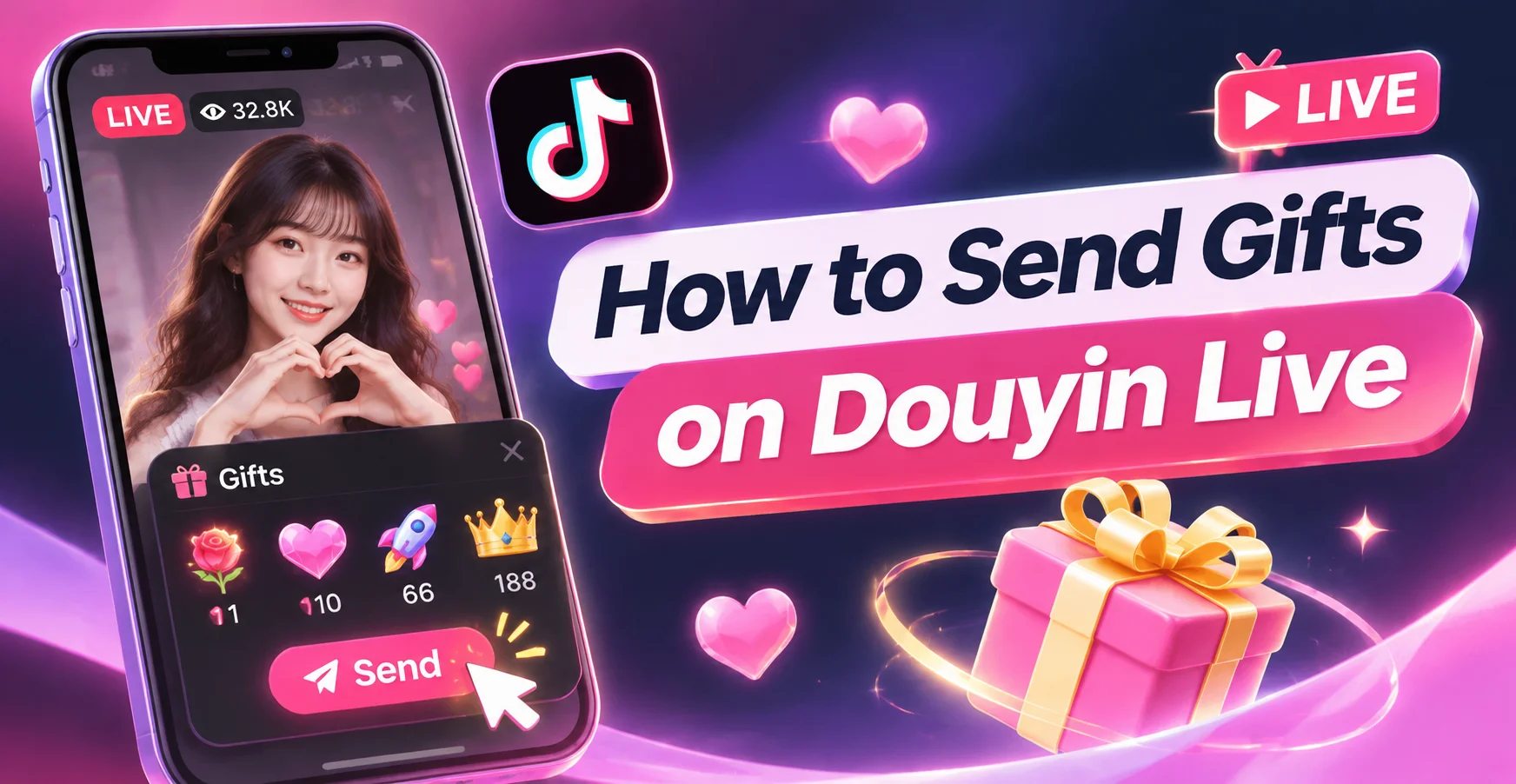
To send gifts on Douyin, open a livestream, tap the gift icon, select a virtual gift and quantity, then tap 赠送 to confirm. You need a registered mainland China Douyin account, an eligible livestream and enough Diamonds in your wallet.
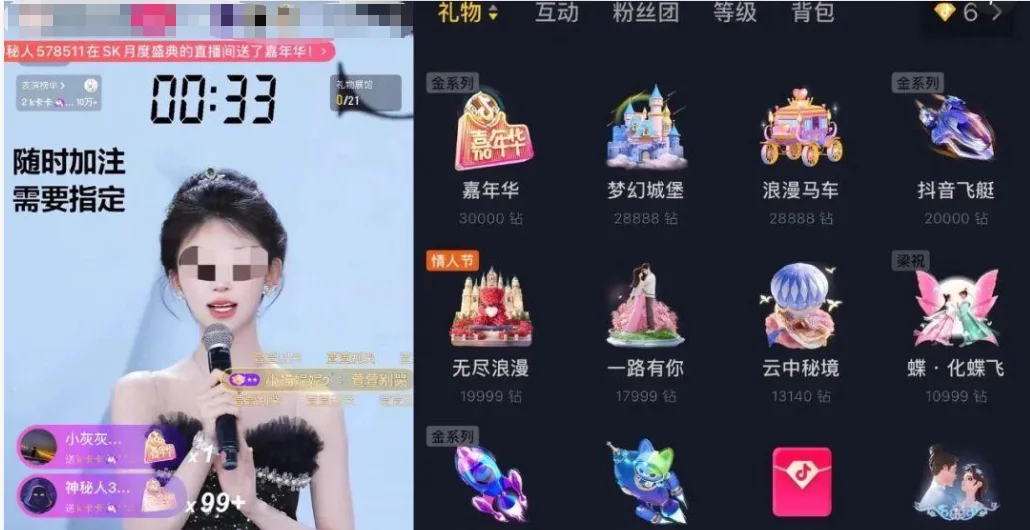
If your balance is insufficient, first review Douyin’s current payment rules; eligible users who prefer an ID-based order can also check the available Douyin Diamond packages on UUTOP.
 Douyin Diamonds ( CN)Top Up Now 10% Off
Before entering a livestream, confirm that you have:
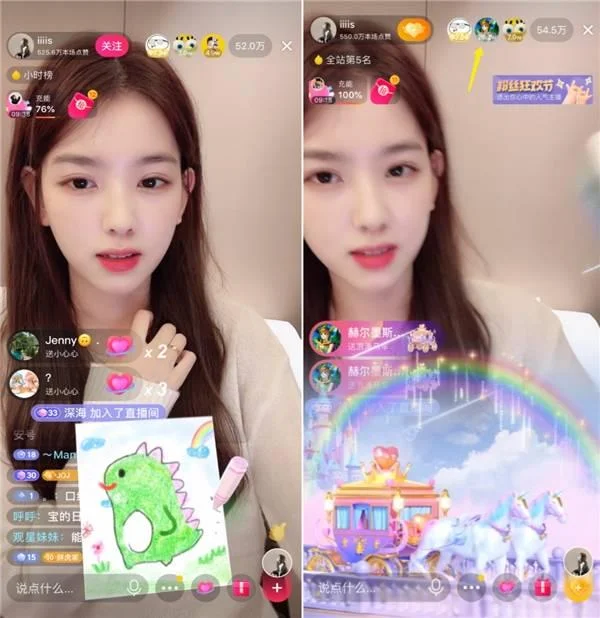
The gift button may also be unavailable in some livestreams. This can happen when the creator has disabled gifting, the stream does not support paid gifts or the viewer’s account is restricted from using the feature.
Virtual gifts are digital items that viewers can activate during livestreams to support creators. When you send one, the required number of Diamonds is deducted from your wallet and the gift may appear as an animation or message in the live room.
Douyin’s official agreement defines Diamonds as a platform tool used to access supported services, including livestream gifting. Diamonds:
Creators may receive service revenue based on the gifts sent to them, but the applicable calculation and platform share can depend on Douyin’s current rules. Avoid relying on fixed creator-income ratios published by unofficial gift calculators.
Open Douyin and find the creator you want to support. You can enter a livestream through:
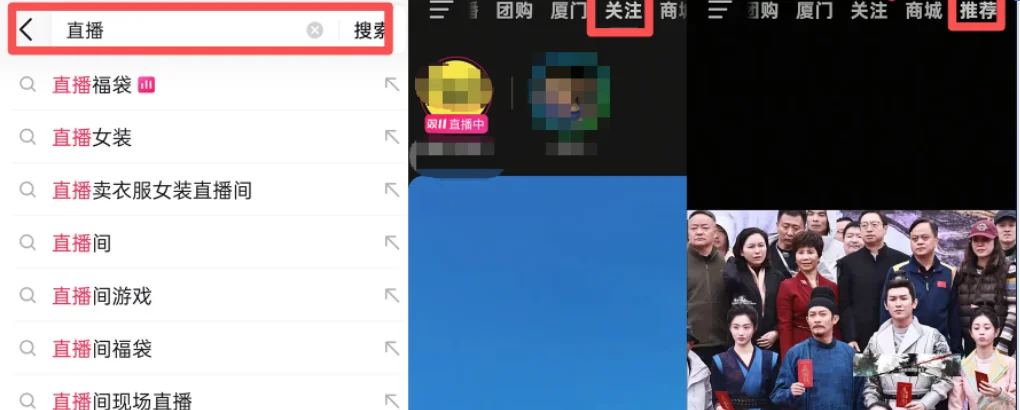
Make sure you have entered the intended creator’s official live room before spending Diamonds.
2.Open the Gift Panel
Look for the gift-box icon near the bottom of the livestream screen. Tap it to open the available virtual gifts.
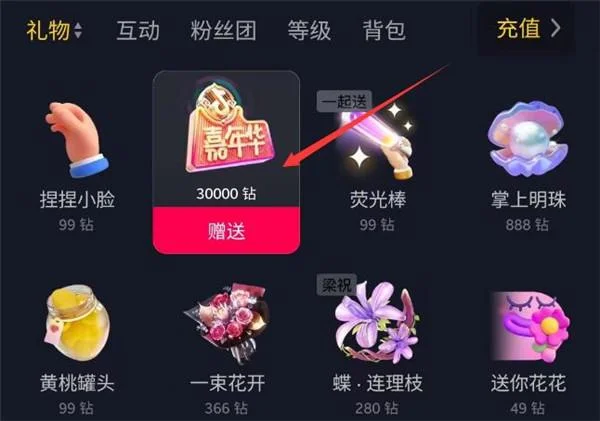
If the icon does not appear, check whether:
The location and appearance of the gift button can change after app updates.
3.Select a Gift
Browse the available gifts and review the Diamond cost displayed beside each item. Some livestreams may feature temporary gifts, event gifts or creator-specific options.
For gifts that support multiple quantities, check whether the panel offers options such as:
Confirm the total Diamond cost rather than looking only at the price of one gift.
4.Confirm and Send
Select the gift and tap 赠送 to send it. The required Diamonds should be deducted from your balance.
Depending on the gift and livestream, the result may include:
Do not tap the confirmation button repeatedly if the livestream is lagging. First check whether the balance changed or the gift record updated.
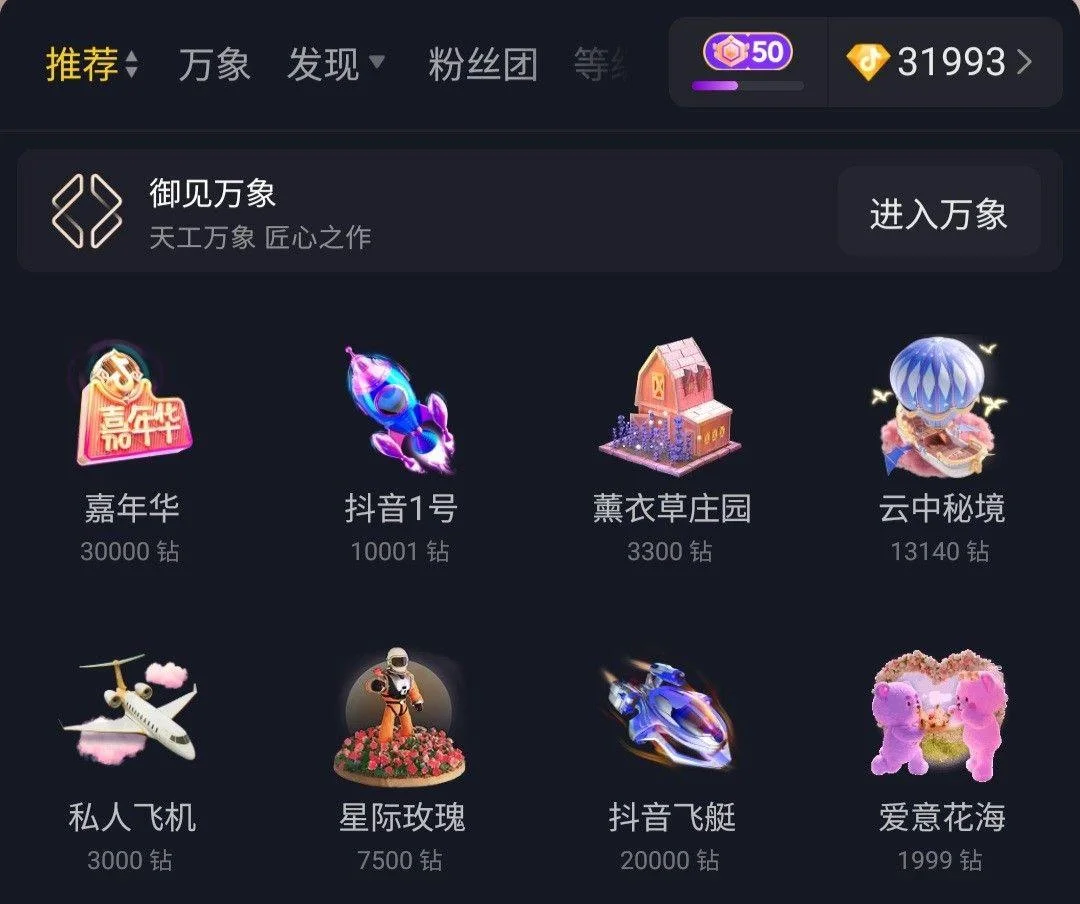
Douyin gift prices vary widely. Smaller gifts may require only a few Diamonds, while premium animated gifts can cost substantially more.
Gift names, availability and prices can change because of:
For this reason, the most reliable price is the Diamond amount shown inside the current livestream’s gift panel. Static online gift-price lists can become outdated and should not be treated as a permanent catalogue.
The official Douyin recharge page allows users to log in to a Douyin account, select a package and complete the payment using the options available to that account.
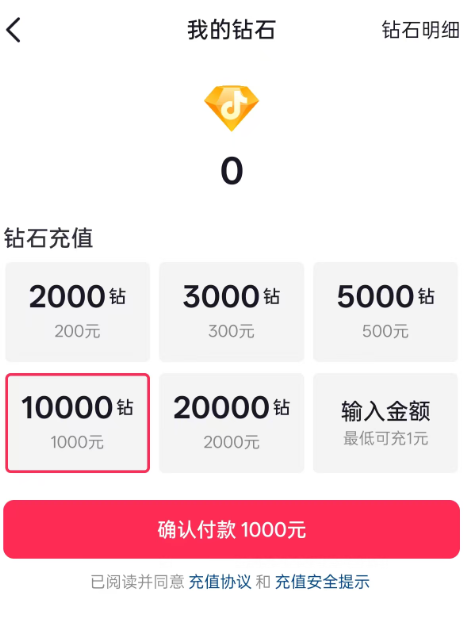
The official page currently displays several fixed CNY packages and a custom-amount option. Exact payment methods and final charges should be checked on the payment screen.Using the official recharge route is the most direct choice when your account can access a supported payment method.
UUTOP lists a separate ID-based top-up product for mainland China Douyin accounts. Its order page requires the receiving account’s Douyin User ID and states that a password or verification code is not required. The purchased package is processed according to the ID entered with the order.
To place an order:
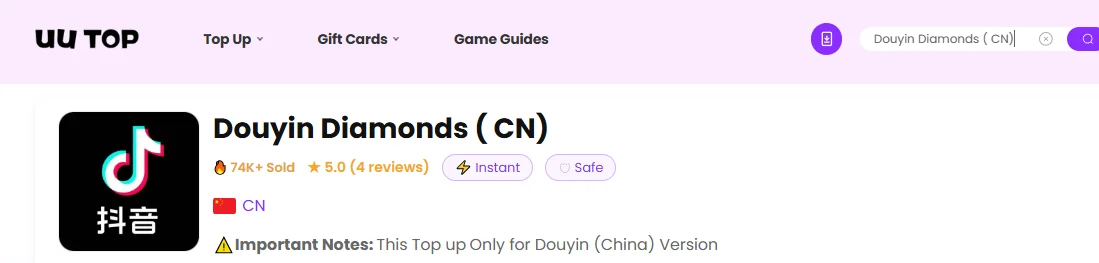
2.Select a Diamond package.Enter the receiving account’s correct Douyin User ID.
3.Review the quantity and final order amount.Choose an available payment method.
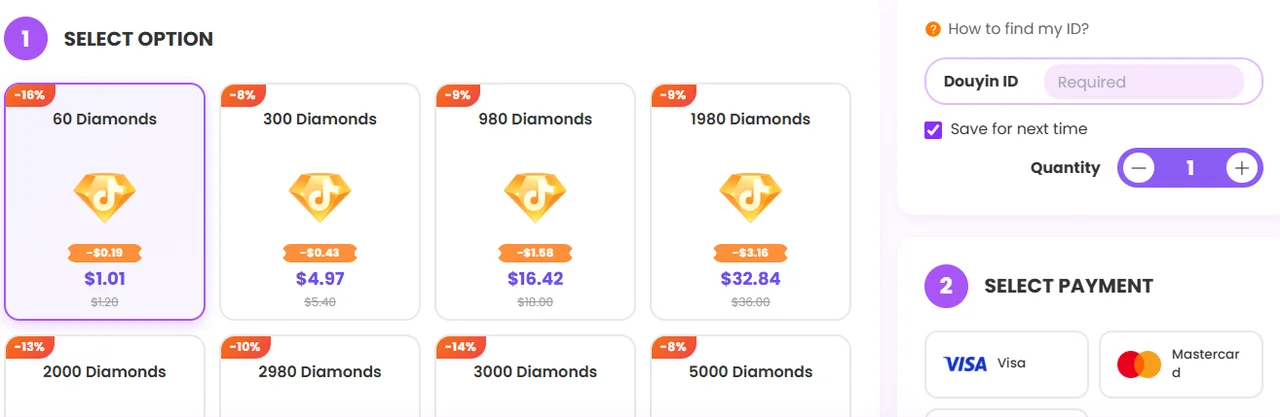
4.Complete the payment.Check the balance after the order is processed.
UUTOP is an independent third-party service; please do not confuse it with the official top-up page for Douyin.
Your Douyin ID identifies the account that should receive an ID-based recharge.
Open the Douyin app./Tap 我 to open your profile./Look below your profile picture and nickname./Find the information marked 抖音号./Copy the complete ID directly from the app./Paste it into the order form without adding spaces.
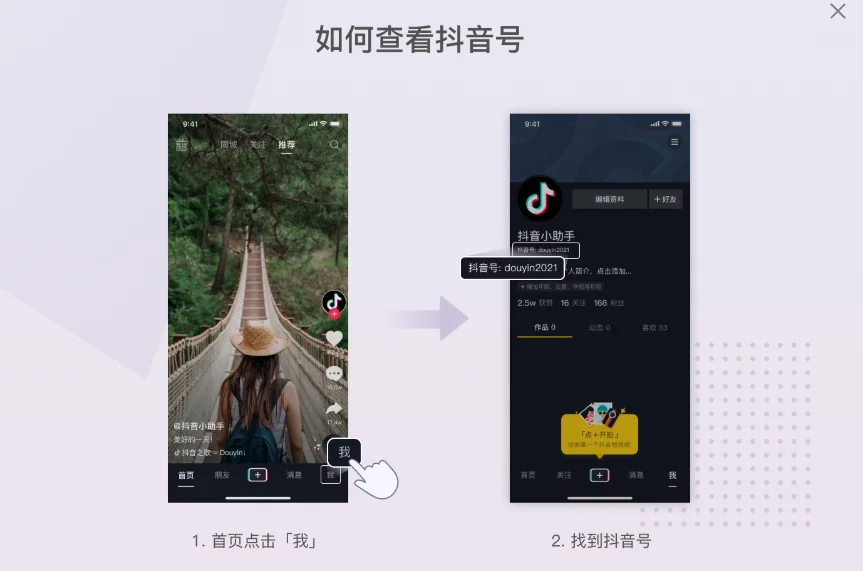
If you are topping up another person’s account, ask the recipient to copy the ID from their profile. Completed digital deliveries made to an incorrect but valid ID may not be recoverable.
Possible reasons include:The creator disabled paid gifts/The livestream format does not support gifting/Your account is not logged in/Your account does not meet the eligibility requirements/The app version is outdated/Your network connection is unstable.
Open the wallet or recharge page and confirm the current balance. If a recent recharge is still processing, do not place the same order again until its status is clear.
For a third-party order, review:The submitted Douyin ID/The order status/The payment status/The selected package/Any messages from customer support
A weak connection or livestream delay can prevent an animation from appearing immediately.
Before sending the gift again:Check whether Diamonds were deducted./Refresh or reopen the livestream./Review any available gift or transaction record./Confirm whether your username or gift appeared in the chat.
If you choose UUTOP, confirm that the recipient uses the mainland China version and then check the current Douyin Diamond packages before placing the order.
TOP UP Douyin Diamonds ( CN) ON UUTOP
No. Douyin and international TikTok operate separate account and currency systems. TikTok Coins cannot be transferred to a Douyin wallet.
No. Douyin’s official Diamond Service Agreement states that Diamonds cannot be transferred between users or separate Douyin accounts.
Restart Douyin, confirm the receiving account and check the payment or order status. If the transaction is complete but the balance remains unchanged, contact the relevant payment provider or recharge service with the transaction record.
Violet is a gaming content writer specializing in HoYoverse titles, gacha games, and popular live-service games. From character builds and update guides to in-game currency explanations, Violet turns complex information into clear, practical advice. With a strong focus on accuracy, value, and player needs, each guide is designed to help players save time, manage resources wisely, and enjoy a smoother gaming experience.
