-8%

All-In-One Bundle
$186.88$200.94
Buy
 EN

You can top up Honkai: Star Rail through the in-game Store, the official HoYoverse Top-Up Center, or a UID recharge service such as UUTOP.
This guide explains the available HSR top-up methods, how Oneiric Shards and the Express Supply Pass work, and what to check before completing an order.
To top up via UUTOP using your UID, simply provide the correct Honkai: Star Rail UID and server information—no HoYoverse password, login verification code, or any other type of verification code is required.
 Honkai: Star RailTop Up Now 8% Off
| Top-up method | Required information | Suitable for | What to check |
| In-game Store | Access to the logged-in account | Buying directly inside HSR | Platform price and payment method |
| HoYoverse Top-Up Center | HoYoverse account login | Official browser-based purchases | Character, UID, server and product |
| UUTOP UID top-up | Character UID and server | Direct recharge without sharing a password | Every UID digit and selected server |
Products, prices and payment methods may vary by region and platform. Review the final amount shown at checkout before paying.
The main HSR recharge products are Oneiric Shards and the Express Supply Pass. The official Store may also offer Nameless Honor and other eligible packages.
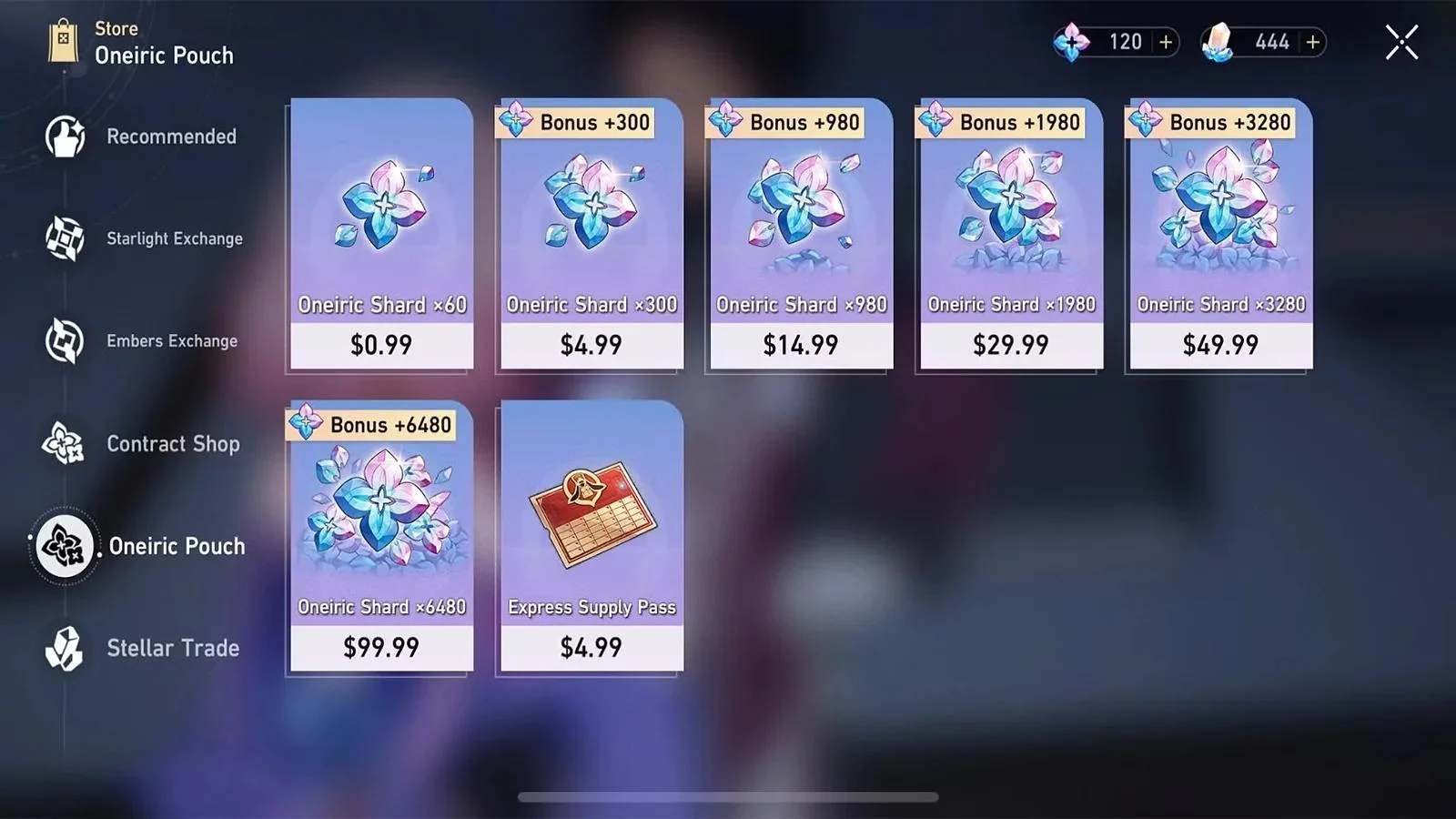
Oneiric Shards are the paid premium currency in Honkai: Star Rail. One Oneiric Shard can be converted into one Stellar Jade.
Stellar Jade can be exchanged for:
Each Star Rail Pass or Star Rail Special Pass costs 160 Stellar Jade. You therefore need 1,600 Stellar Jade for ten Warps.The conversion only works in one direction. Stellar Jade cannot be converted back into Oneiric Shards, so keep enough Shards unconverted if you plan to purchase a bundle or another item that requires paid currency.
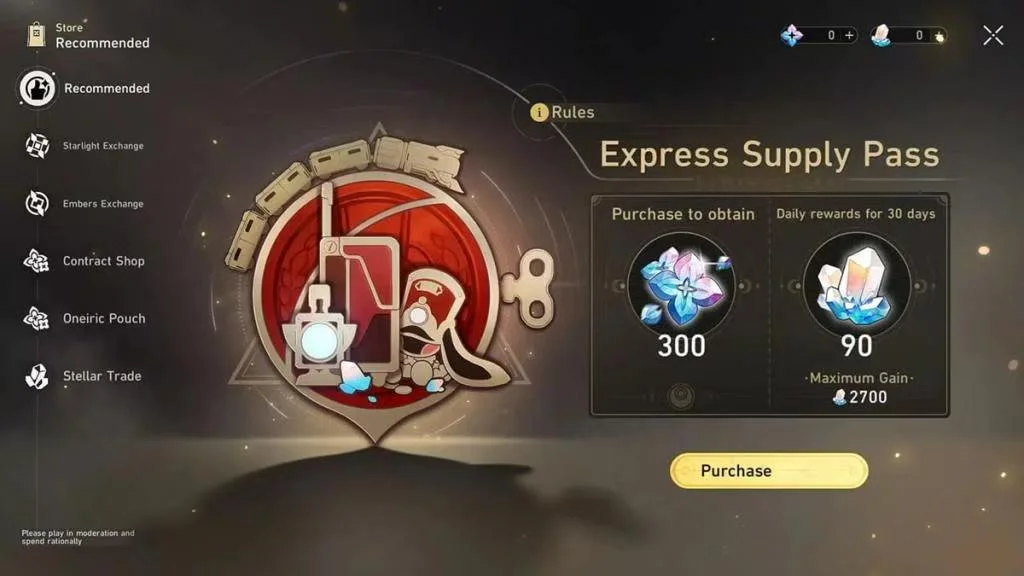
The Express Supply Pass is a 30-day product for players who log in regularly.
Each purchase provides:
Daily Stellar Jade must be claimed by logging into the game. Rewards from missed days are not reissued.Additional purchases can extend the active duration by 30 days. However, another Express Supply Pass cannot normally be purchased when the remaining duration reaches or exceeds 179 days.
Choose Oneiric Shards if:
Choose the Express Supply Pass if:
| Product | Delivery pattern | Suitable for | Main limitation |
| Oneiric Shards | Full amount delivered after purchase | Immediate Warps or paid bundles | Higher upfront spending |
| Express Supply Pass | 300 Shards immediately and daily Stellar Jade | Long-term Warp planning | Missed daily rewards cannot be recovered |
The Express Supply Pass suits long-term saving, while Oneiric Shards are more practical when you need to cover an immediate Warp shortage.
The Honkai: Star Rail HoYoverse Top-Up Center is the official browser-based purchase channel. It offers eligible products such as Oneiric Shards, the Express Supply Pass and selected paid packages, depending on the account and region.
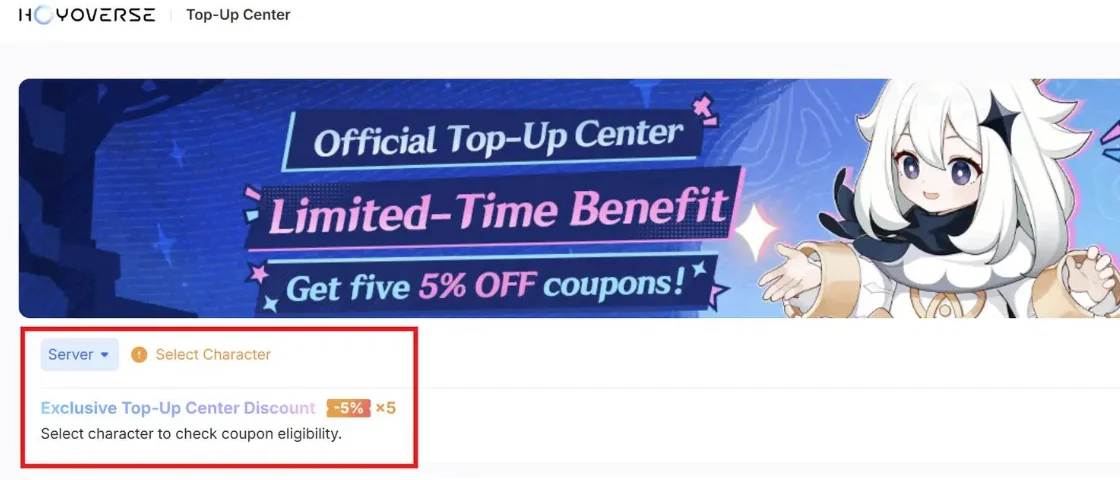
To top up through the official website:
Open the Honkai: Star Rail HoYoverse Top-Up Center.
A HoYoverse account can contain separate characters on different servers. Confirm that the displayed Trailblazer is the intended recipient before paying.
If you are already logged in to receive the account,Follow these steps:
UUTOP provides UID-based Honkai: Star Rail top-up services for supported accounts. The available products include Oneiric Shard packages and the Express Supply Pass.
The purchased product is delivered to the game account associated with the submitted UID and server. A HoYoverse password, login code or verification code is not required.
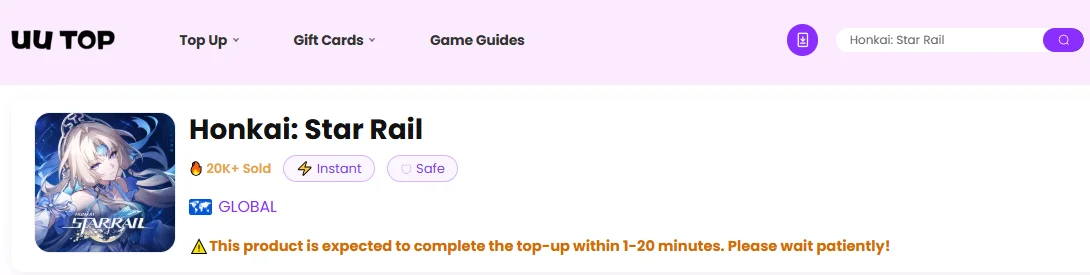
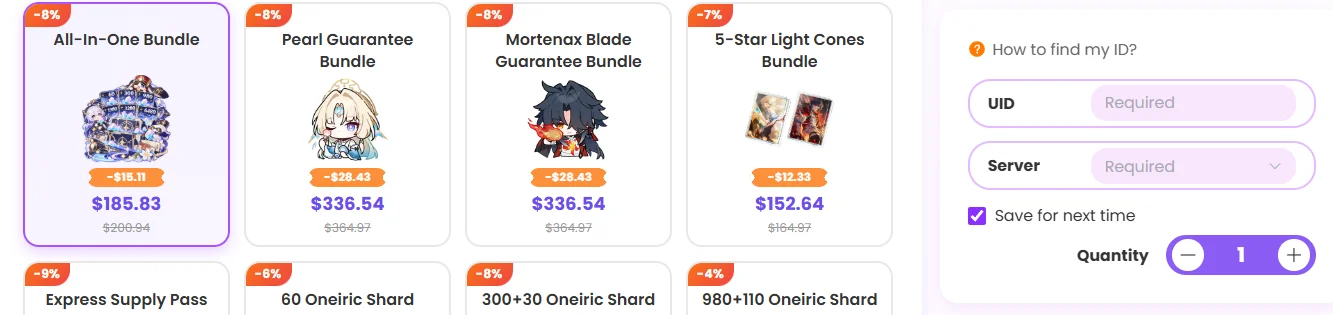

6.Complete the payment.Reopen Honkai: Star Rail and check the Shard balance or Pass duration.
UUTOP is a separate UID recharge service and should not be confused with the official HoYoverse Top-Up Center. Prices, payment methods and product availability should be confirmed on the selected regional page.
Your UID identifies the character that should receive the top-up.
To find it:
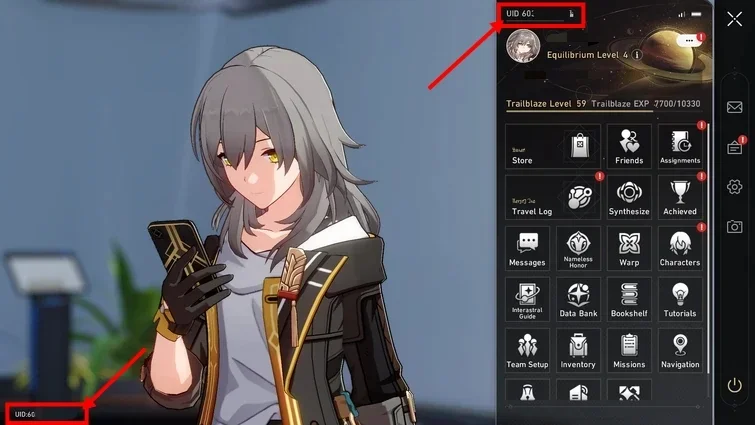
Do not enter your Trailblazer nickname, email address or HoYoverse Account ID in place of the game UID.
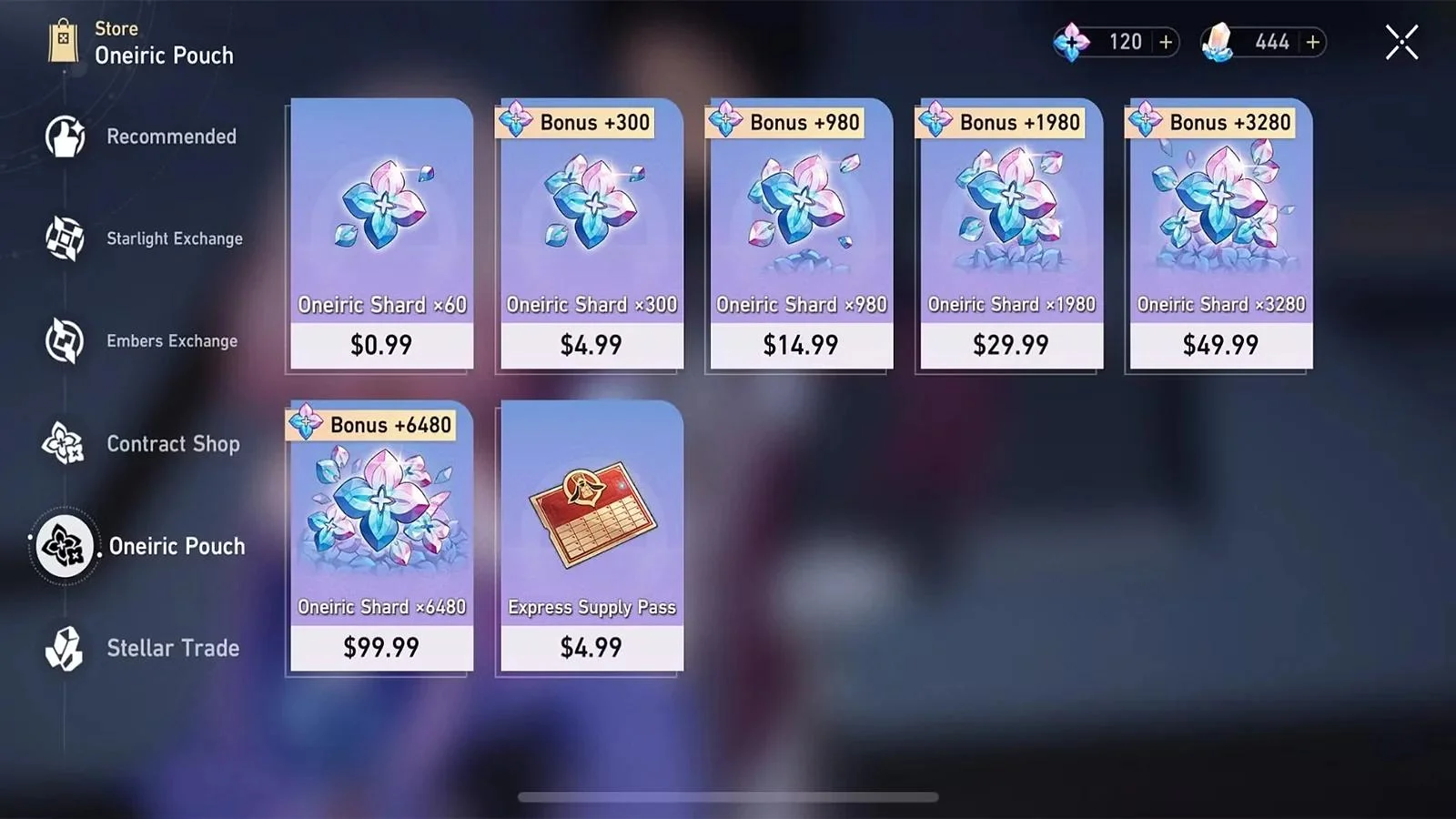
Each Oneiric Shard package has a separate first-top-up bonus. When an eligible bonus is displayed in the receiving account’s Oneiric Pouch, the first purchase of that package grants additional Shards equal to its base amount.
| Oneiric Shard package | First-top-up reward when eligible |
| 60 Shards | 60 additional Shards |
| 300 Shards | 300 additional Shards |
| 980 Shards | 980 additional Shards |
| 1,980 Shards | 1,980 additional Shards |
| 3,280 Shards | 3,280 additional Shards |
| 6,480 Shards | 6,480 additional Shards |
Bonus eligibility is calculated separately for each package. Purchasing the 300-Shard tier does not automatically remove the unused first-top-up bonus from the other tiers.
Check Store > Oneiric Pouch on the receiving account before purchasing. Only count the bonus when it is currently displayed for that character and package.
If the purchase does not appear after payment:
HoYoverse advises players not to repeat a payment when the first purchase has not arrived, as doing so may create a second charge. Some platform purchases may also need to be activated by entering the in-game Store on the same platform used for payment.
For a UUTOP order, contact UUTOP Support with the order number, UID, selected server and payment record.
TOP UP Honkai: Star Rail ON UUTOP
Contact customer support immediately. Once Oneiric Shards or Pass benefits have been delivered to the submitted account, they generally cannot be redirected through the original order.
Before purchasing, count your current Stellar Jade, Star Rail Special Passes, pity and guarantee status. Subtract free rewards that can still be obtained before the target Warp ends, then choose a package that covers the remaining shortfall.
No. UUTOP’s HSR UID top-up requires the character UID and corresponding server. A password, OTP or verification code is not required.
Yes, provided the product supports the recipient’s account and region. Enter the recipient’s confirmed UID and server rather than your own.
Violet is a gaming content writer specializing in HoYoverse titles, gacha games, and popular live-service games. From character builds and update guides to in-game currency explanations, Violet turns complex information into clear, practical advice. With a strong focus on accuracy, value, and player needs, each guide is designed to help players save time, manage resources wisely, and enjoy a smoother gaming experience.


