-25%


60 RedCoins
$1.02
Buy
 EN


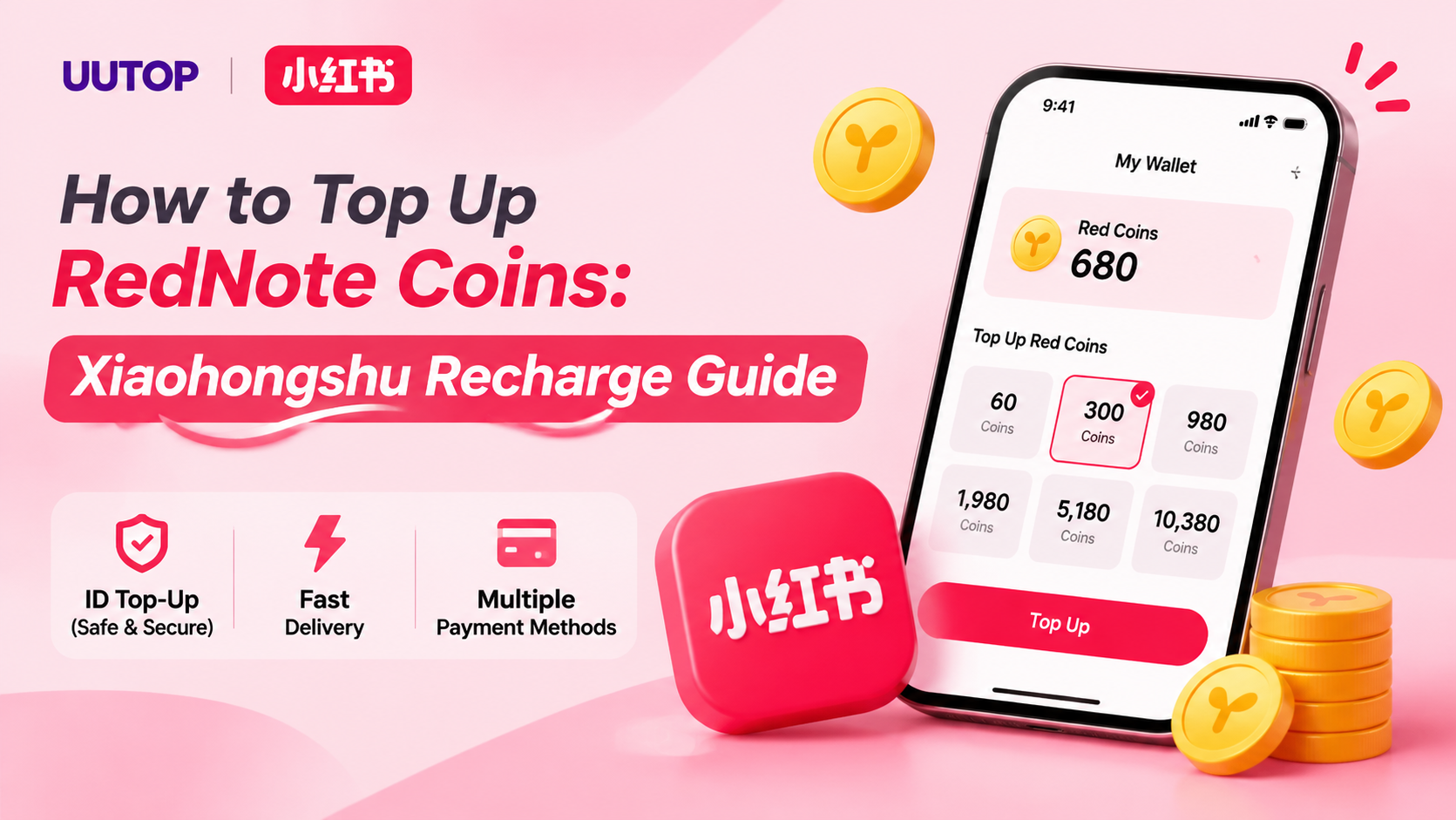
You can top up RedNote Coins by selecting a coin package, entering the correct RedNote ID and completing the payment. UUTOP uses an ID-based recharge process, so you do not need to provide your Xiaohongshu password or verification code.
Need more Red Coins for supported features inside Xiaohongshu? Visit the UUTOP RedNote Coins top-up page, choose the amount you need and recharge directly to your account using your RedNote ID.
 RedNote(Xiao Hong Shu) Red Coins Top upTop Up Now 25% Off
RedNote Coins, also known as Xiaohongshu Red Coins or 薯币, are the platform’s paid virtual currency. They can be used for supported purchases and Coin-based features displayed inside the Xiaohongshu app.
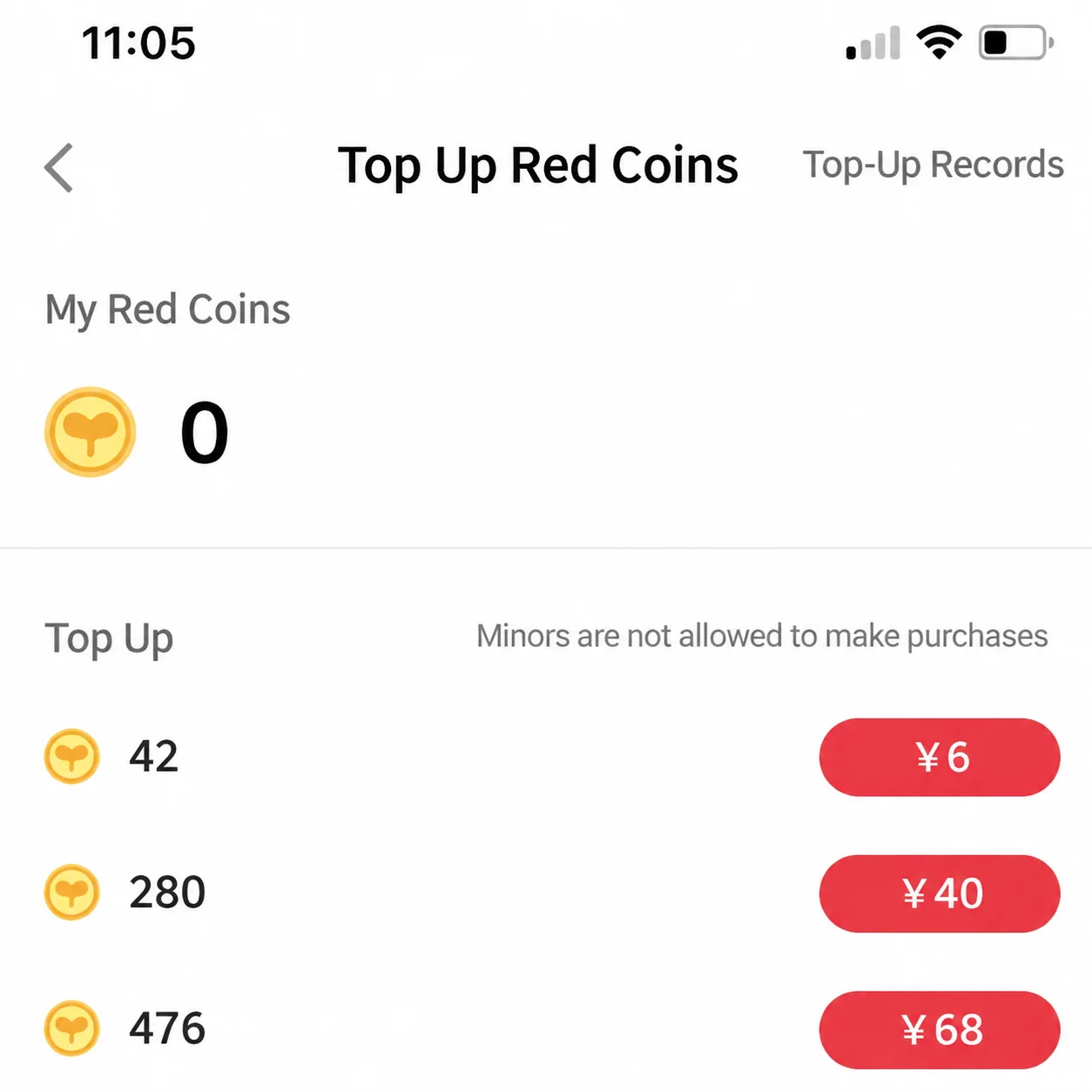
Available features and their prices may vary according to the account, region and current platform rules. Check the information shown in your app before recharging.
Prepare the following information before placing an order:
A RedNote ID is different from your nickname, phone number or email address. Copy the ID directly from the receiving account instead of entering it from memory.
Follow these steps:
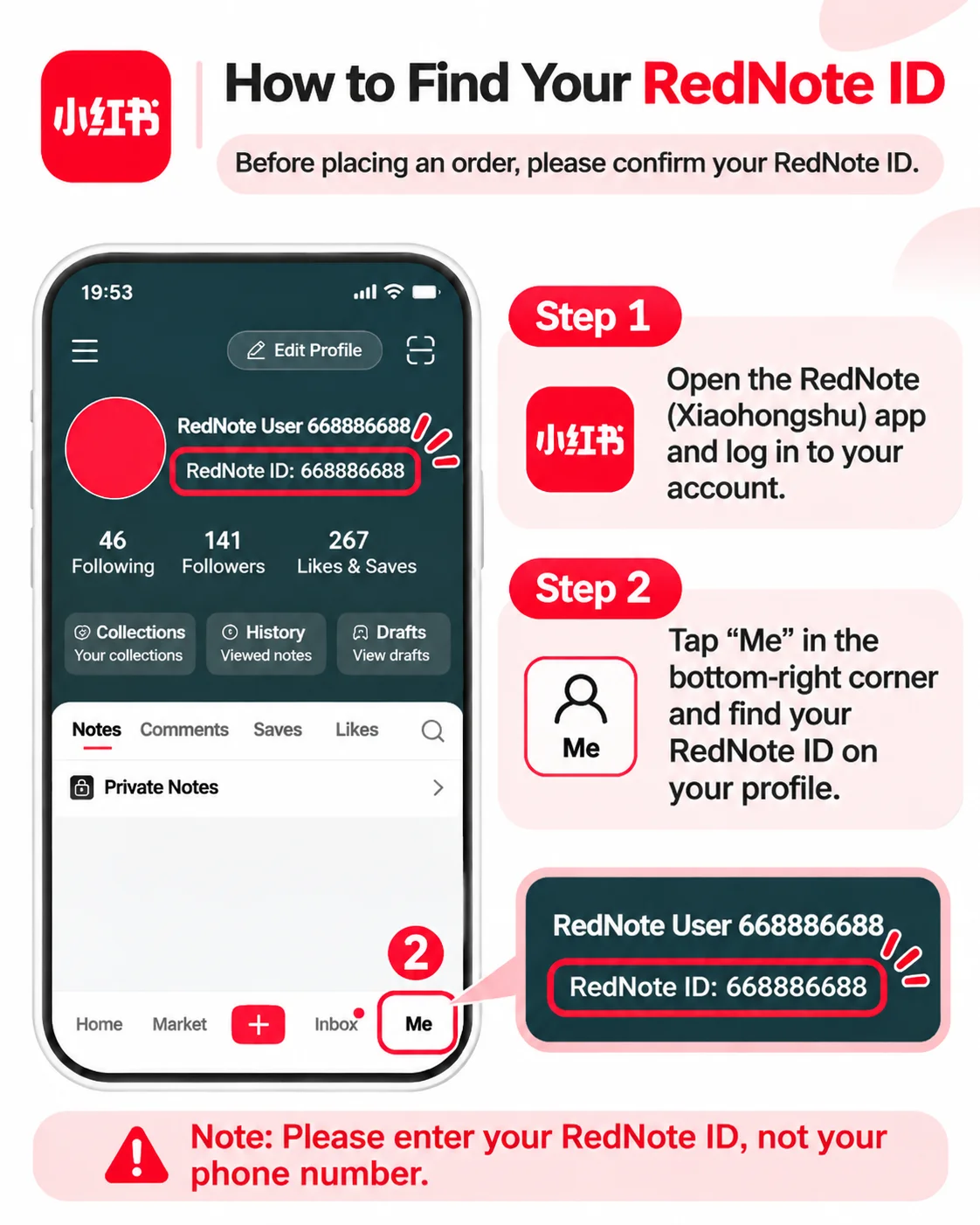
If you are topping up for another person, ask the recipient to copy the RedNote ID directly from their profile.
The UUTOP Xiaohongshu recharge process only takes a few steps:
1.Open the UUTOP Xiaohongshu Red Coins page.
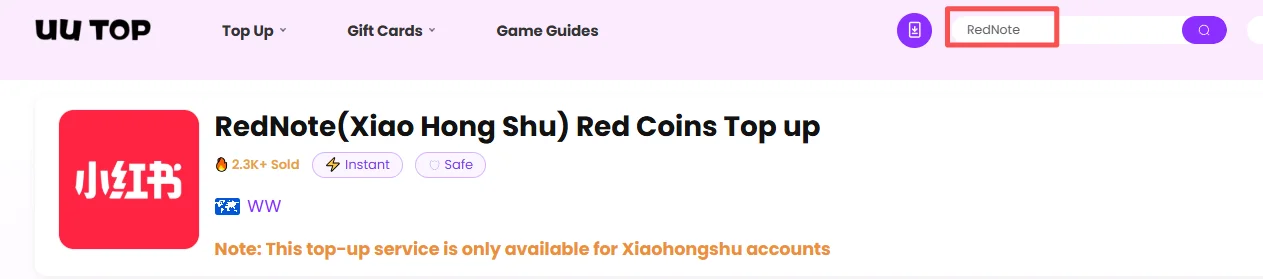
2.Select the required Red Coins denomination.Enter the complete RedNote ID of the receiving account.
3.Check the package, quantity and account ID.Select one of the payment methods displayed at checkout.
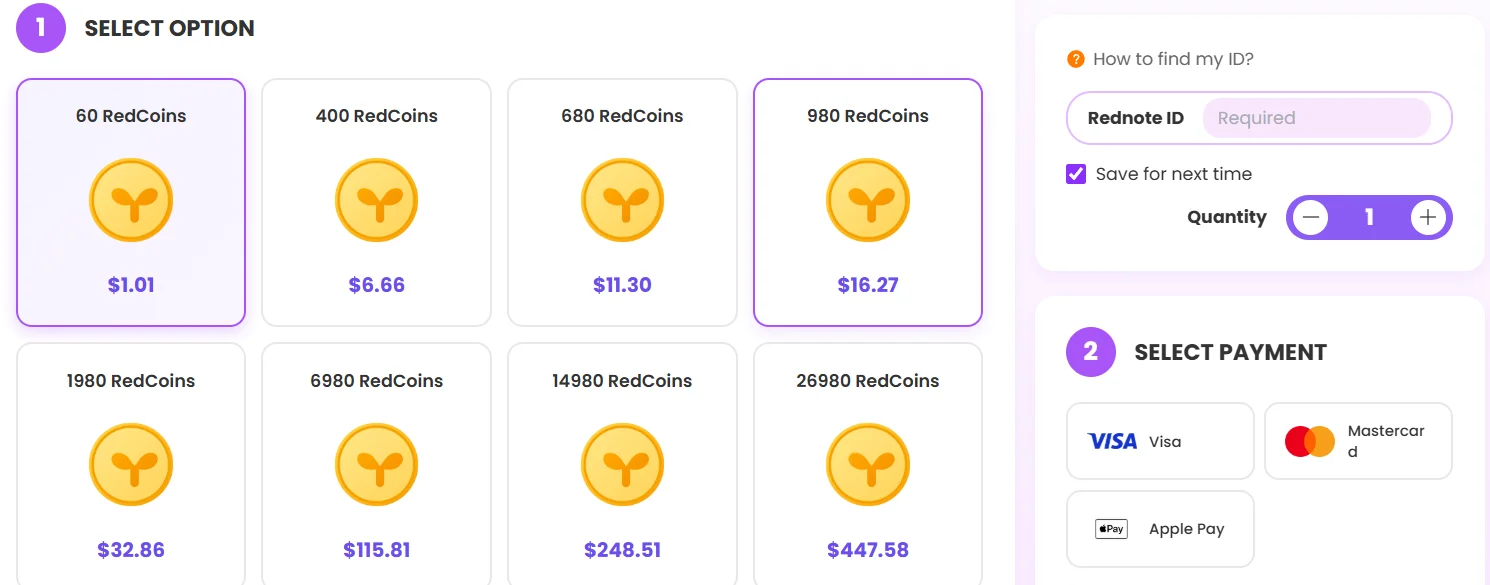
4.Complete the payment.Wait for the order to be processed, then check the Red Coin balance in Xiaohongshu.
The Coins will be delivered to the account associated with the submitted RedNote ID. UUTOP does not require the account password, OTP or login verification code for this recharge method.
After the order is processed:
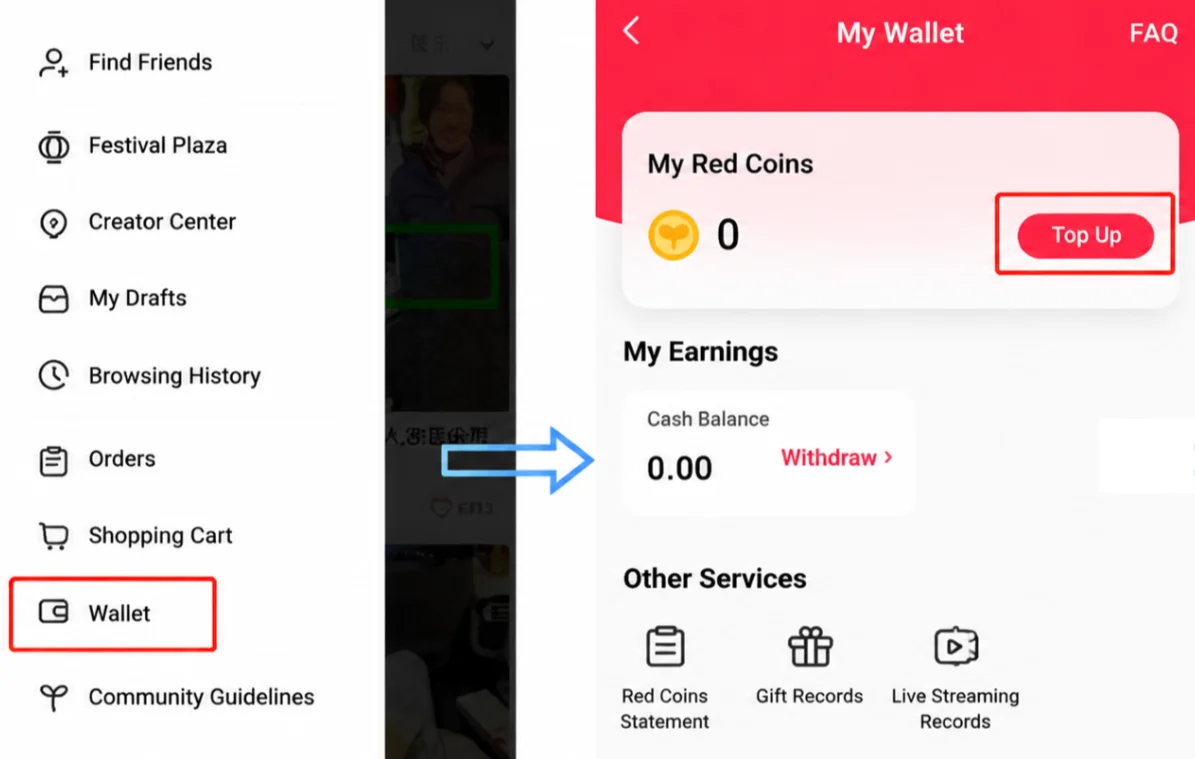
If the new balance does not appear immediately, close and reopen the app to refresh the account information.
If your Xiaohongshu recharge has not appeared, check the following:
Keep your order number and payment record until the Red Coins appear. When contacting support, provide the order number, submitted RedNote ID and selected package. Do not place the same order again while the original transaction is still being processed.
Ready to add Red Coins to your Xiaohongshu account? Head to UUTOP RedNote Coins top-up, pick your preferred package and complete the recharge using your RedNote ID—no account password is needed.
TOP RedNote(Xiao Hong Shu) ON UUTOP
No. A UUTOP RedNote ID top-up only requires the account information requested on the product page. Do not share your password, OTP or verification code.
Yes. Enter the recipient’s correct RedNote ID when placing the order. Confirm the ID and selected package with the recipient before paying.
Open Xiaohongshu and check the Wallet connected to the receiving account. Restart the app if the displayed balance has not refreshed.
Elena Carter is a content writer at UUTOP who focuses on creating clear, practical, and engaging articles. She is committed to helping readers quickly understand useful information and enjoy a smoother reading experience.
