-24%

60 Ornate Jades
$1.02$1.19
Buy
 EN


To top up Sword of Justice, select the product for your account region, choose the required Ornate Jades, pass or bundle, and submit the correct UID and server. The purchase will be delivered to the character connected to those details after processing.
Planning to buy an outfit, Monthly Pass or Battle Pass? Visit the UUTOP Sword of Justice top-up page, confirm that the selected region matches your account, and complete the recharge through your UID and server—no game password is required.
 Sword of JusticeTop Up Now 24% Off
UUTOP currently lists Ornate Jade packages, passes and selected in-game bundles. Available products may differ between regional versions.
| Product | Suitable for |
| Ornate Jades | Buying eligible premium items, cosmetics and bundles |
| Monthly Pass | Players who want recurring in-game rewards |
| Basic Battle Pass | Unlocking the standard seasonal reward track |
| Advanced Battle Pass | Accessing higher-tier seasonal rewards |
| Battle Pass Upgrade | Upgrading an existing Basic Battle Pass |
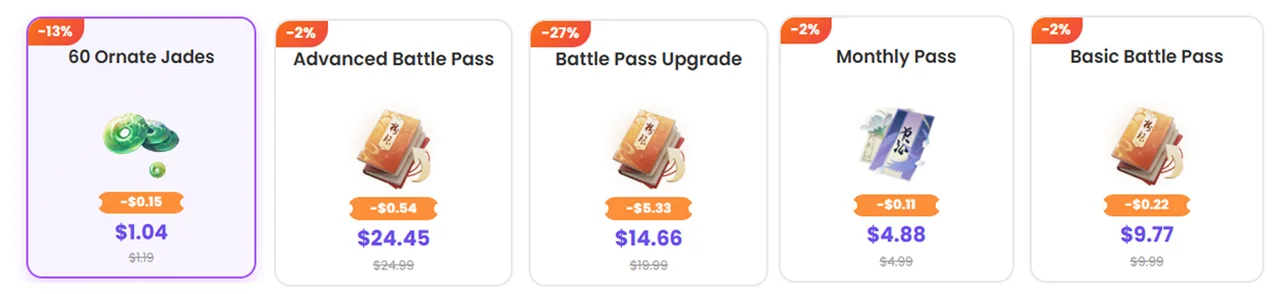 Check the live product description before paying. Pass rewards, bundle contents and availability can vary by region or season.
Sword of Justice has separate regional versions. A product intended for one region should not be assumed to work with an account from another.
The UUTOP page displays separate region options for:
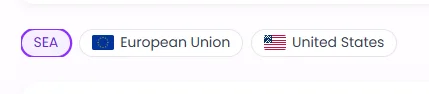
The linked product page may open with the European version selected. Before choosing a package, check the active region tab and read the service notice displayed on the page. Only continue when the selected product matches your account region.
Do not rely only on your current location. Your game version and the server containing your character determine which regional product you need.
Prepare the following information:
Do not enter your character name, email address or NetEase login in place of the numerical UID.
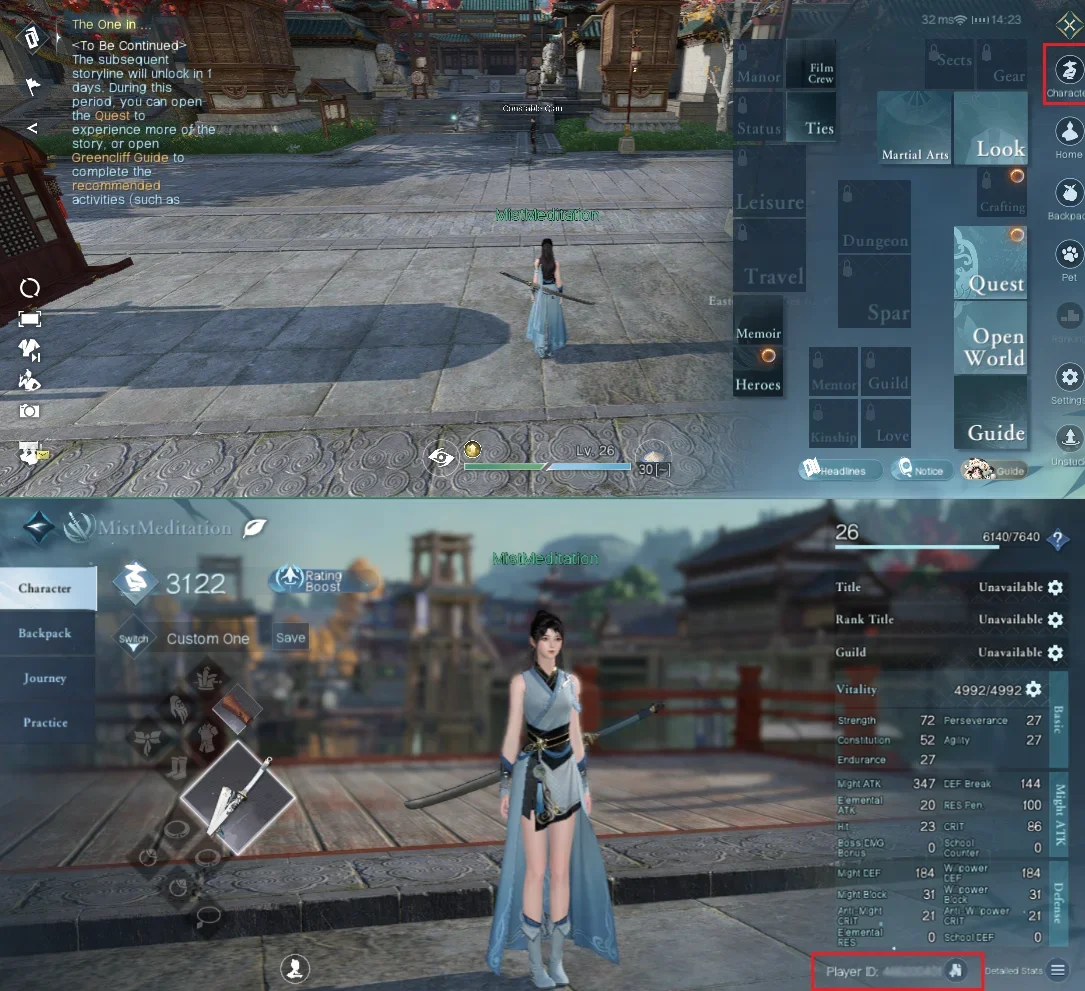
Copy the UID instead of typing it manually to reduce the risk of entering an incorrect number.
Confirm these five details:
Region and game version → UID → Server → Product and quantity → Final order amount
If any detail does not match the receiving character, correct it before completing the payment.
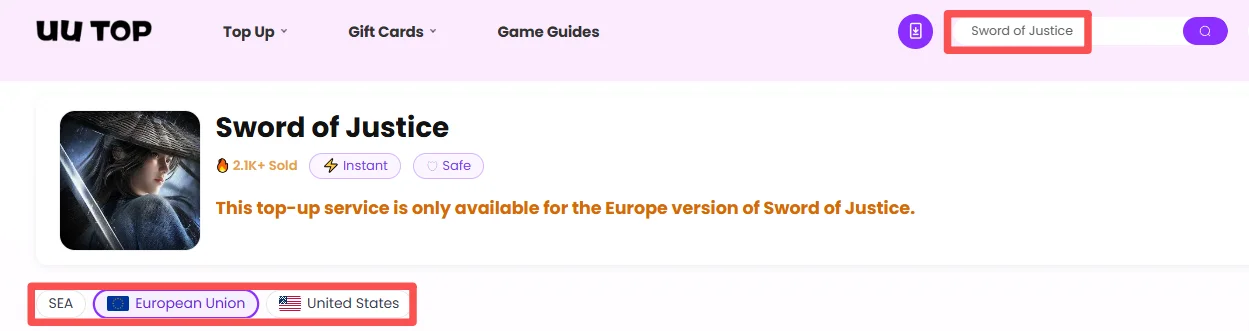
2.Choose an Ornate Jade package, Monthly Pass, Battle Pass or available bundle.
3.Enter the receiving character’s complete UID.
4.Select the server shown in the character information.
5.Check the region, UID, server, product and quantity.
6.Choose an available payment method.Review the final order amount and complete the payment.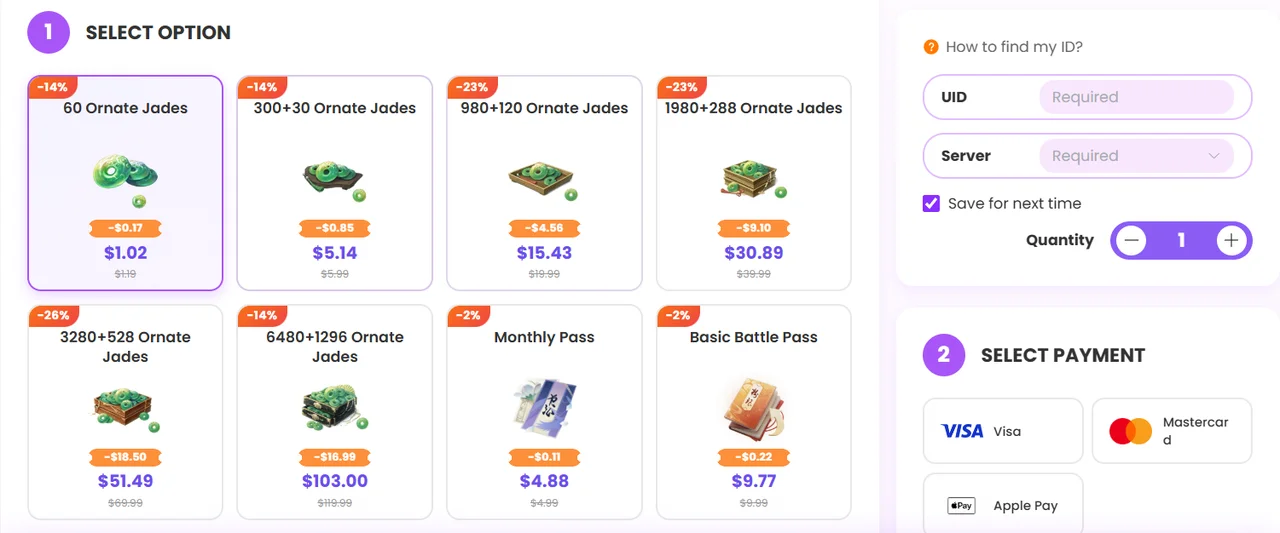
7.Reopen Sword of Justice and check the purchased item after processing.
UUTOP uses a UID-and-server recharge method for this product. You do not need to provide your game password, email login or verification code.
After the order has been processed, log in to the character connected to the submitted UID and server.
Check the corresponding in-game section:
Some passes distribute rewards over time or require gameplay progress. Activating a pass does not necessarily grant every reward immediately.
If the purchased item does not appear:
Keep your order number and payment record. When contacting support, provide the order number, UID, server, region and selected product. Do not place the same order again while the original transaction remains in progress.
Ready to prepare more Ornate Jades or unlock your next pass? Head to UUTOP Sword of Justice top-up, select the correct regional version and complete the purchase with your verified UID and server.
TOP Sword of Justice ON UUTOP
No. The recharge process requires the correct UID and server. Your game password, email login and verification code are not needed.
Battle Pass Upgrade is intended for players who already own the Basic Battle Pass. If you do not own it, choose the Basic or Advanced Battle Pass according to the rewards you want.
Do not complete the payment. Switch to the region matching your Sword of Justice account and confirm the service notice, product options and server list before ordering.
Elena Carter is a content writer at UUTOP who focuses on creating clear, practical, and engaging articles. She is committed to helping readers quickly understand useful information and enjoy a smoother reading experience.