


Tango Coins Top Up Guide: How to Buy Coins and Choose the Right Method

A Tango Coins top up can be completed through the Tango app, the official website, or a User ID top-up service. Before purchasing, check your current balance, estimate how many Coins you need, and copy the correct Tango ID.
This guide explains how Tango Coins work, how they differ from Diamonds, how to compare recharge methods, and how to complete a direct top-up through UUTOP.
What Are Tango Coins and What Can You Buy With Them?
Tango Coins are the virtual currency purchased and spent by viewers on Tango Live. They can be used for supported features such as:
- Sending virtual gifts during live broadcasts
- Supporting broadcasters and creators
- Accessing eligible subscriber content
- Joining paid live interactions
- Using other Coins-based features on Tango
The required amount depends on the gift, subscription, or interaction you select. Check its current Coin cost before choosing a package so that you do not purchase much more than you plan to use.
Tango Coins vs Diamonds
Coins and Diamonds serve different users within Tango.
Viewers purchase Coins and spend them on gifts or eligible interactions. Broadcasters receive Diamonds from supported viewer activity and may use Tango’s creator payout system when they meet the applicable requirements.
Ways to Top Up Tango Coins
Buy Coins in the Tango App
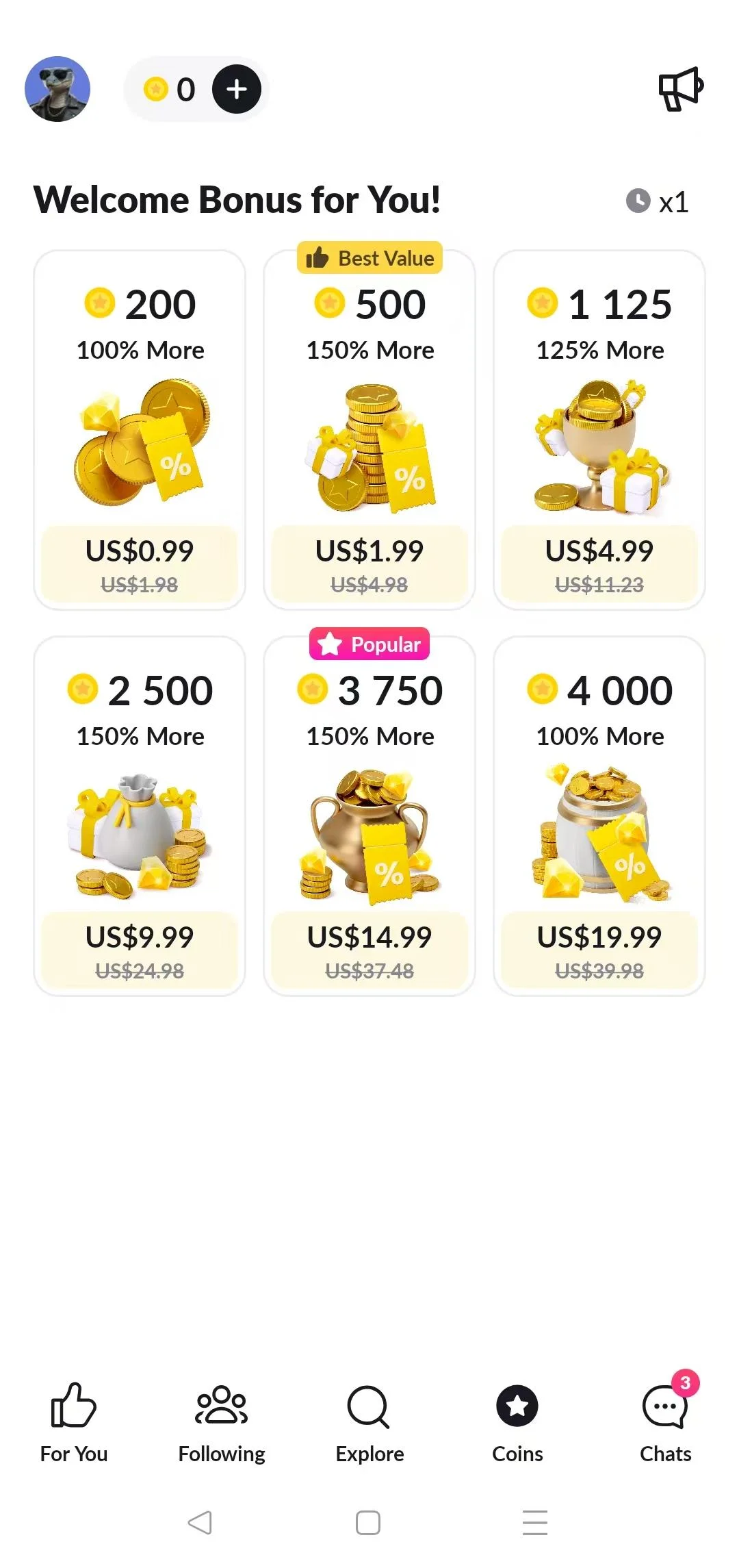
Open Tango, visit your profile or Coin Balance section, choose a package, and complete payment through the system connected to your mobile device.
This is convenient for users who already pay through the App Store or Google Play. The available packages and final total may depend on the device platform and account region.
Buy Coins on the Official Tango Website
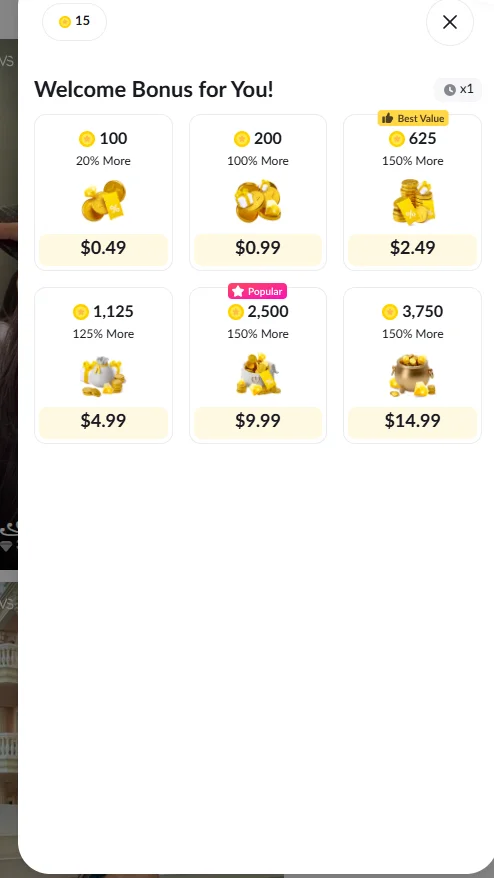
You can also purchase Coins through the official Tango website. Sign in, open Coin Balance, choose an available offer, and complete the browser-based checkout.
Web and app packages may not always contain the same number of Coins. Some eligible web offers may also display Tango Coins bonus amounts. Compare the total Coins and final checkout price shown for the specific offer rather than assuming that every web package includes the same bonus.
Use a Tango User ID Top-Up Service
A User ID top-up delivers Coins directly to the account connected to the submitted Tango ID. Select a denomination, enter the receiving ID, and complete payment without signing in to Tango through the top-up page.
This option suits users who prefer a direct browser checkout and already have the correct ID of the receiving account.
How to Find Your Tango User ID
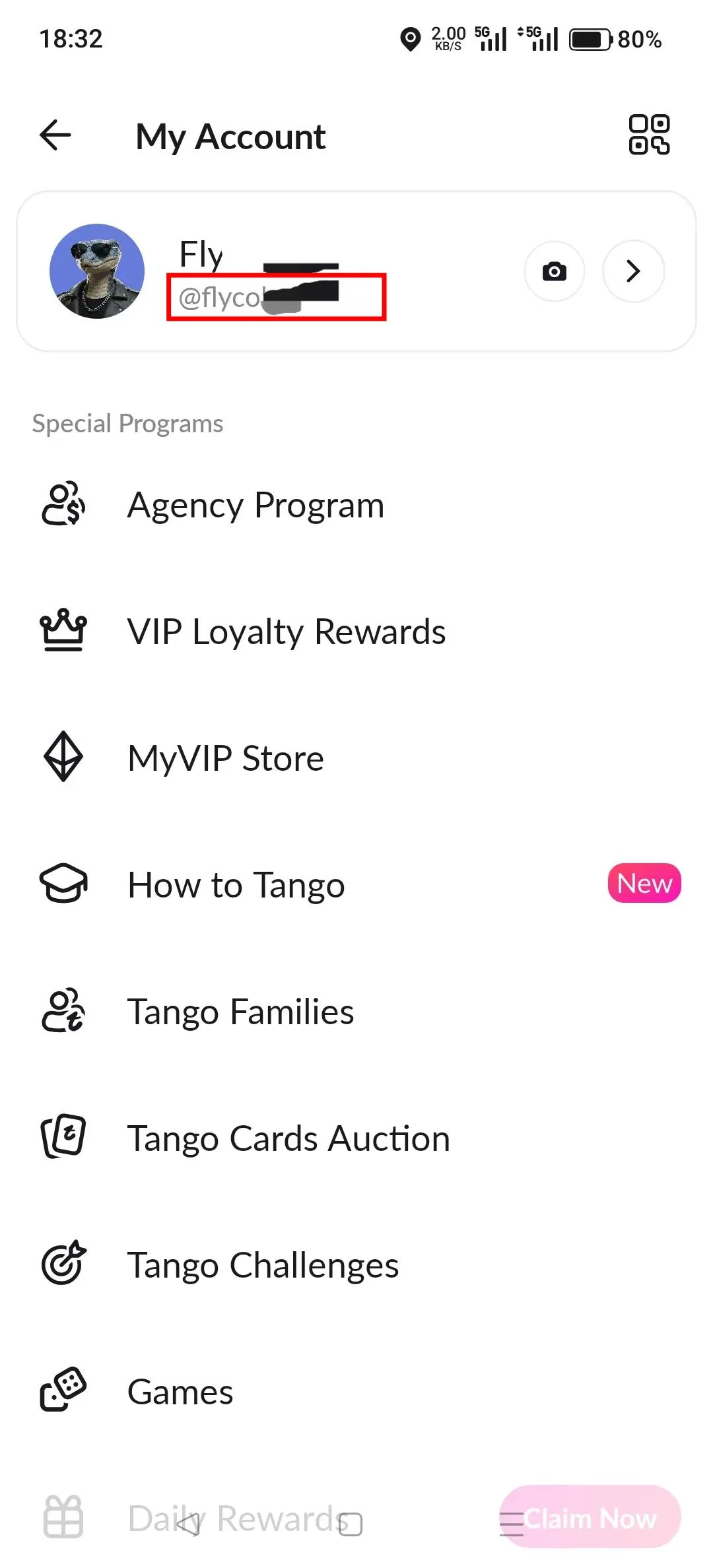
A Tango User ID is different from a display name, broadcaster name, or live room name.
To find it:
- Open Tango and visit your profile or account page.
- Find and copy the User ID shown with your account information.
- Confirm that it belongs to the intended receiving account.
Copying the ID directly helps avoid mistakes when placing a Tango Coins recharge order.
How to Choose a Tango Coin Package
The right package depends on how frequently you use paid Tango features and how many Coins are already in your balance.
Small Packages for Occasional Use
Smaller packages are suitable for first-time users, occasional gifting, or completing an existing balance. UUTOP offers options such as 150, 300, 750, and 1,500 Coins.
Start with one of these packages if you are testing a feature or do not yet know how frequently you will use Coins.
Medium Packages for Regular Gifting
Packages such as 2,250, 3,750, 7,500, and 15,000 Coins may suit users who send gifts regularly or access paid features throughout the month.
Estimate your usual weekly or monthly spending before choosing a package. This gives you enough Coins for planned interactions without leaving a much larger balance than necessary.
Large Packages for Planned Spending
Larger options range from 30,000 to 150,000 Coins. They are intended for users who already have a clear plan for frequent gifting or other high-usage activities.
A larger denomination is not automatically the best value. To compare packages, divide the final checkout price by the number of Coins included. This shows the approximate cost per Coin and helps you compare offers with different denominations.
How to Top Up Tango Coins on UUTOP
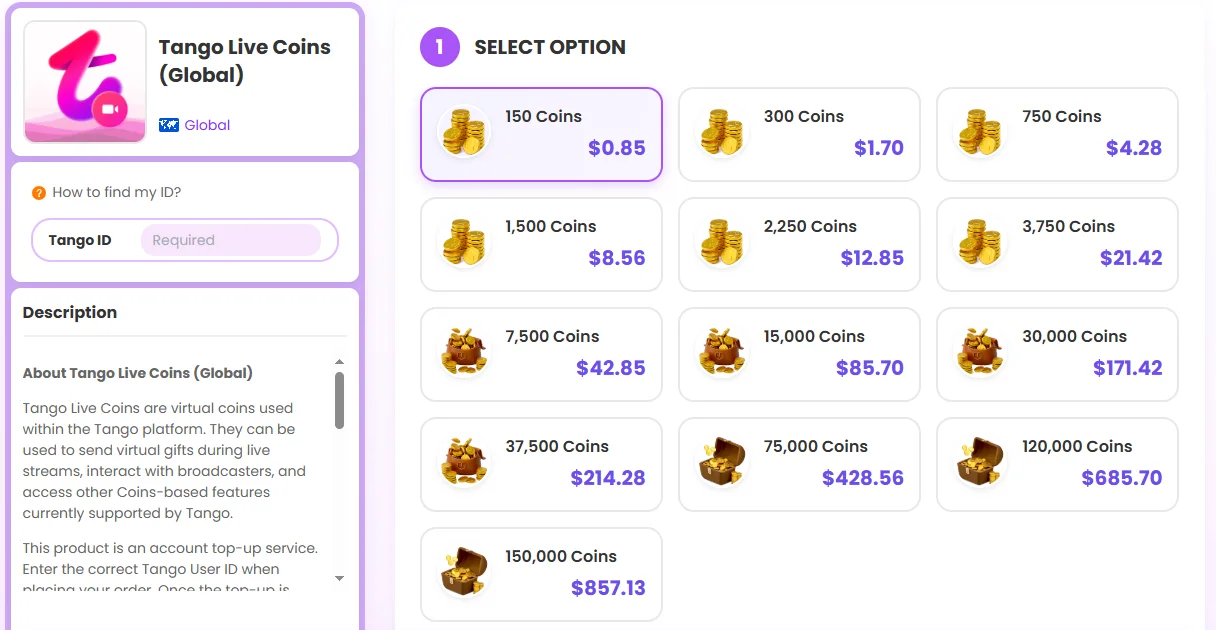
UUTOP provides direct Tango Live Coins top-up for supported global accounts. Available denominations range from 150 to 150,000 Coins.
Follow these steps:
- Visit the UUTOP Tango Live Coins top-up.
- Select the number of Coins you want to purchase.
- Enter the Tango ID of the receiving account.
- Check the ID, Coin amount, quantity, and order total.
- Select an available payment method and complete the order.
- Open the receiving Tango account and check the Coin balance.
Tango Live FAQ
Can I top up Tango Coins for another user?
Yes. Enter the recipient’s correct Tango ID during checkout. The selected Coins will be credited to the account connected to that ID.
Will I receive a Tango redemption code from UUTOP?
No. This is a direct account top-up, so the Coins are added to the submitted Tango ID without a separate redemption step.
Why are Tango Coin prices different between the app and web?
Prices can vary according to the storefront, denomination, account region, currency, taxes, and current offers. Compare the final price and complete number of Coins displayed before purchasing.
