
Delta Force (Global)
 GLOBAL
🔔 This product is only for the Global version of Delta Force. For Garena Delta Force, please visit the Garena Delta Force top-up.
SELECT OPTION






Description
How to Top Up
- Choose your preferred Delta Coins package.
- Enter your in-game Player ID.
- Check your Player ID, selected package, bonus coins, and order total.
- Choose a payment method available at checkout and complete your payment.
- Wait for your order to be processed, then log in to the game to confirm that your Delta Coins have arrived.
Delta Coins Top Up
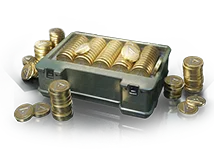
Delta Coins are the premium in-game currency in Delta Force. They can be used to purchase eligible items from the in-game store, including weapon skins, Operator skins, weapon blueprints, and limited-time bundles. Available items may change with the in-game store and ongoing events.
Whether you want to get a weapon blueprint, customize your favorite Operator, or purchase a limited-time bundle, you can choose a Delta Coins package based on your target item and available budget.
Delta Coins Packages & Bonus Coins
Delta Force offers multiple Delta Coins top-up packages, and some packages include bonus coins. The base amount, bonus amount, and total coins received may vary by package.
Before purchasing, check the base Delta Coins amount, any bonus coins, and the final total displayed on the UUTOP product page. Package contents, promotional offers, and prices are subject to the current listing.
What Is the Difference Between Delta Force and Garena Delta Force?
Delta Force and Garena Delta Force are separate game versions with different operating services. Their supported regions, eligible top-up products, and purchase requirements may differ.
This page is for Delta Forcetop-ups and should not be assumed to support Garena Delta Force accounts.
Before placing an order, make sure you are using the correct game version. If you play Garena Delta Force, choose a product specifically listed for your version and supported region to avoid purchasing an incompatible top-up.
How to Find Your Delta Force Player ID
Launch Delta Force and enter the game lobby. Click your profile avatar or open your profile page to locate your Player ID. Copy the full ID and enter it on the UUTOP top-up page.
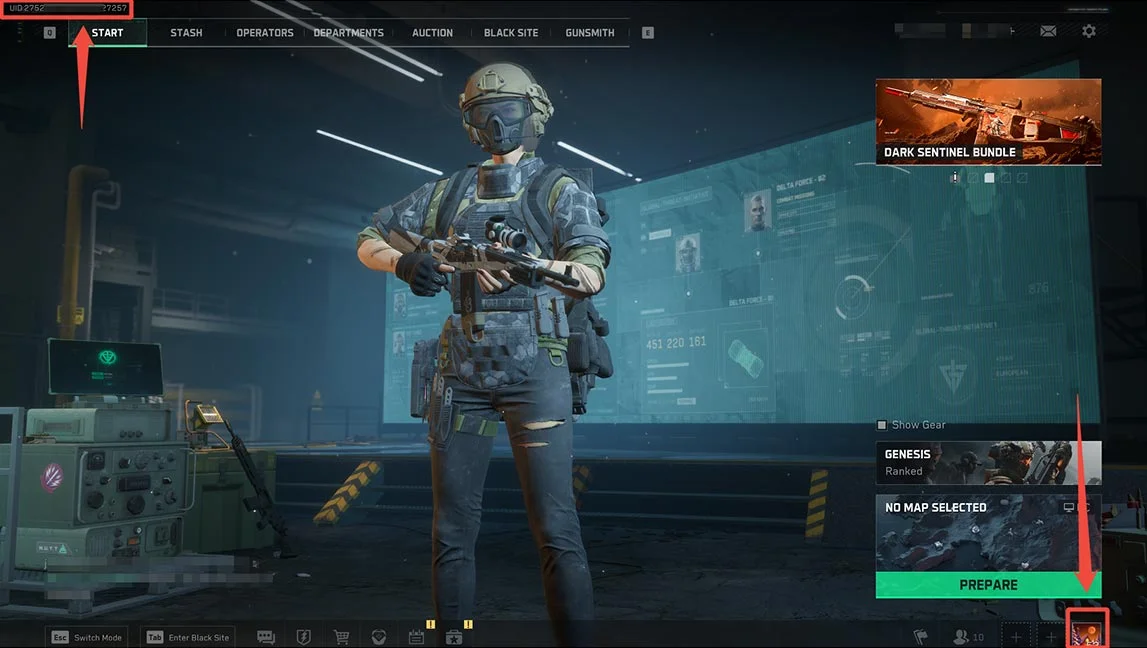
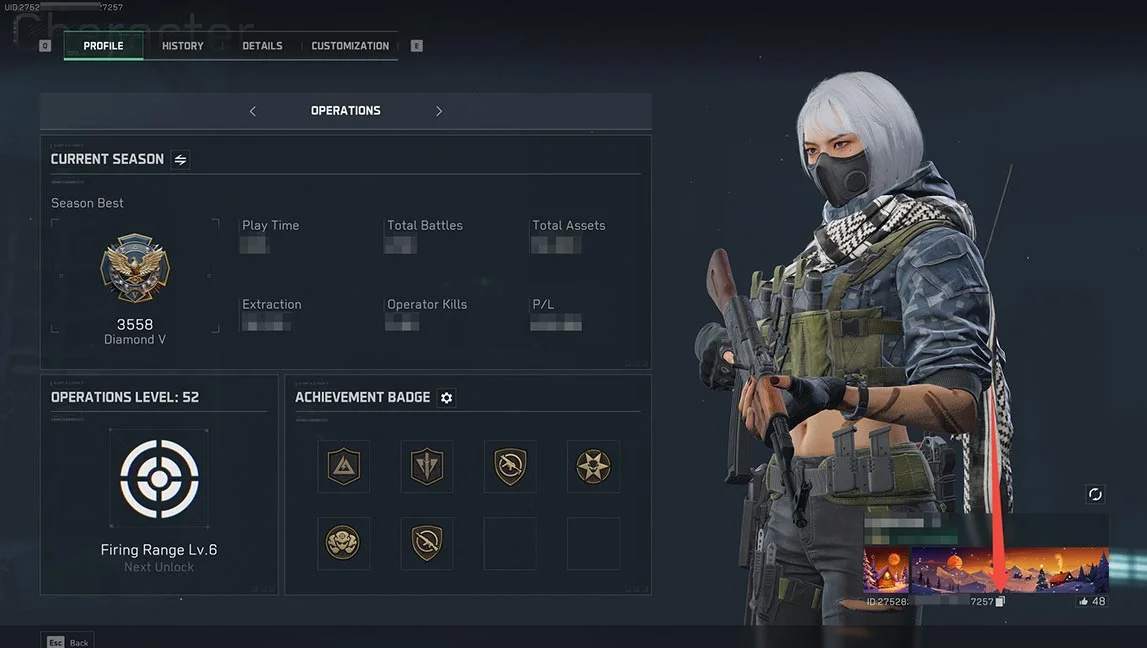
Please note that your Player ID is different from your in-game nickname. Use the actual ID displayed in your game profile rather than your character name. The interface may vary across platforms, so refer to the information displayed in your game client.
Is It Safe to Top Up Delta Force on UUTOP?
Absolutely! You can top up Delta Coins on UUTOP with confidence. We are committed to providing safe and reliable top-up services while prioritizing transaction security and user information protection.
With our convenient Player ID top-up service, you can complete your purchase without providing your game account password or login verification code. Enjoy a simple, hassle-free way to add Delta Coins and get back to the action.
Top up with UUTOP for a secure experience—your account is protected, with no risk of being banned!
Delta Force Top-Up FAQ
1. How long does it take for Delta Coins to arrive?
Delta Coins usually arrive within a few minutes after payment. If your coins have not arrived after an extended period, contact UUTOP customer support to check your order status.
2. Why can third-party platforms offer Delta Coins at lower prices than the in-game store?
Third-party platforms may offer different prices due to promotional campaigns, coupons, and pricing strategies. When comparing offers, check the base Delta Coins amount, bonus coins, total coins received, and final payment amount rather than looking at the discount percentage alone.
3. What should I do if my top-up has not arrived or I entered the wrong Player ID?
If your top-up has not arrived, first confirm that your payment was successful and check your order status. If you entered the wrong Player ID, contact UUTOP customer support immediately and provide your order number. Whether the information can be corrected or the order can be processed again depends on the current order status.