B
priced right for me

 EN
EN
 Global
Available for eligible PUBG MOBILE Global or International version accounts. Japanese, Korean, Taiwan, and Vietnam versions or servers are not supported.
PUBG MOBILE is a multiplayer battle royale game for mobile devices. Players collect weapons, equipment, and supplies across different maps, compete against other players, and use shooting skills, tactical teamwork, and survival strategies to become the last one standing. The game includes Classic Mode, Arena, Metro Royale, limited-time events, and other modes. Players can also unlock outfits, firearm finishes, vehicle finishes, and other in-game content.








UC, short for Unknown Cash, is the paid in-game currency used in PUBG MOBILE.
Players can use UC to purchase outfits, firearm finishes, vehicle finishes, parachutes, backpack finishes, emotes, voice packs, crates, and other eligible items. UC can also be used to purchase or upgrade the Royale Pass and participate in selected Lucky Spin events and limited-time activities.
UC prices, event rules, and available items are subject to the information displayed in the game.
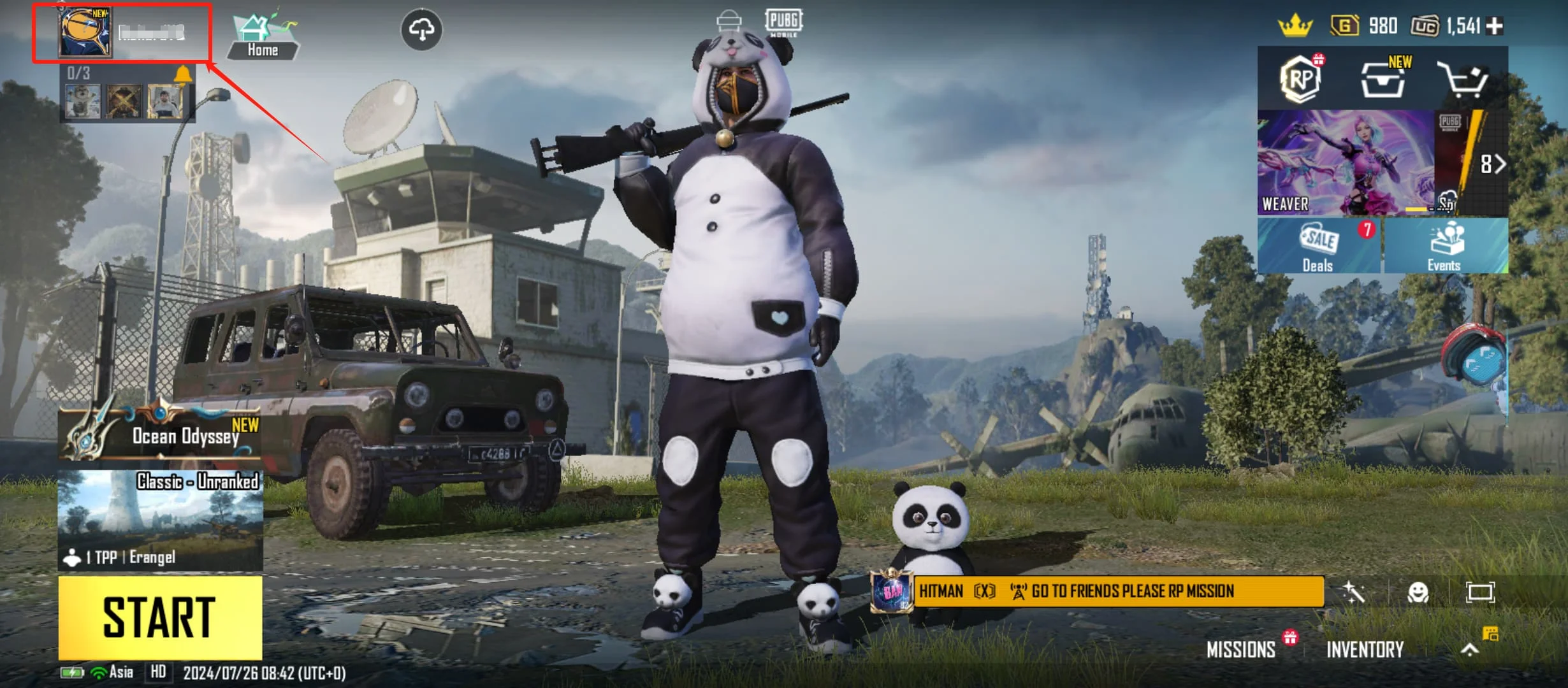
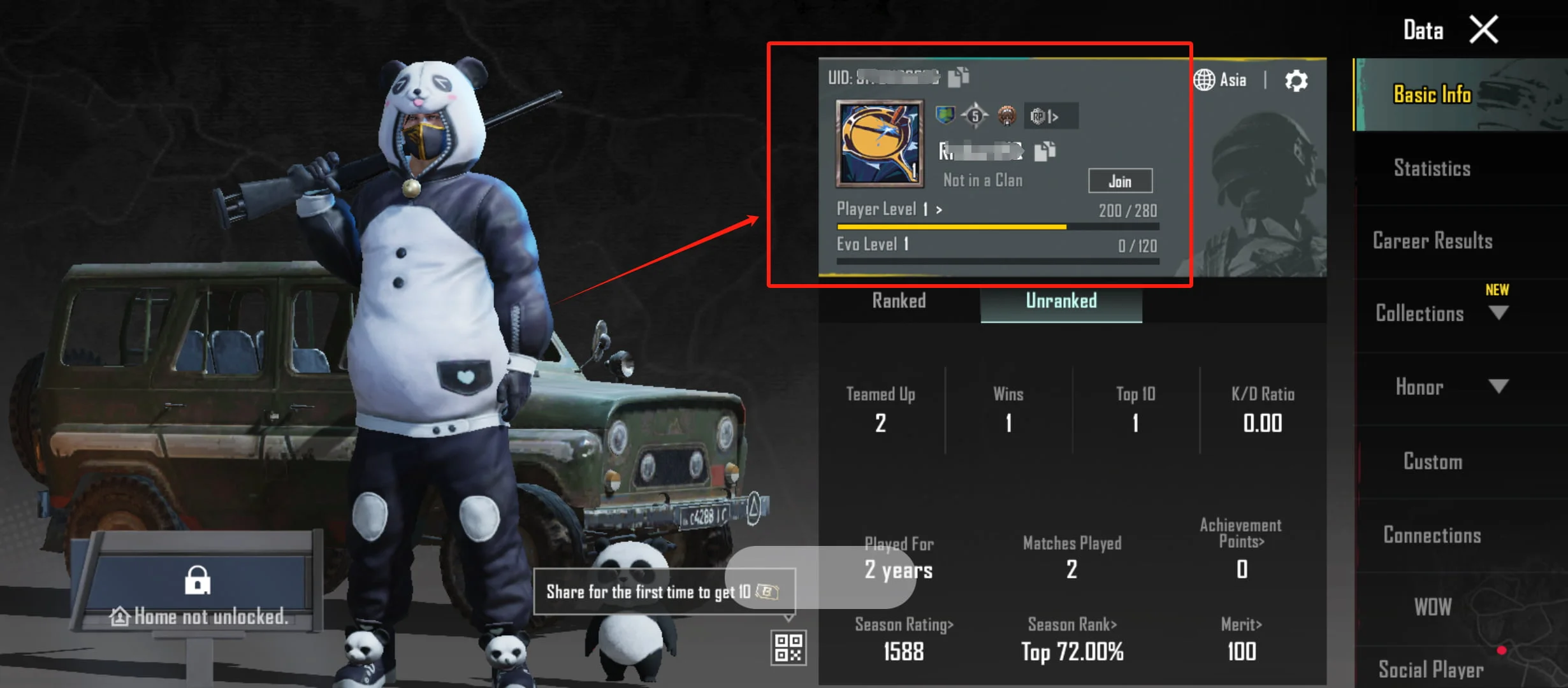
PUBG MOBILE UC Top Up (Global) uses direct UID top-up. To purchase, enter the PUBG MOBILE UID of the account that should receive the UC. You do not need to provide the game account password, social account login details, login codes, or verification codes.
Once the order has been processed, the purchased UC will be credited directly to the game account linked to the submitted UID. This product does not provide a UC redemption code, so no manual redemption is required.
This product is available for eligible PUBG MOBILE Global or International version accounts. Japanese, Korean, Taiwan, and Vietnam versions or servers are not supported.
Eligibility is determined by the PUBG MOBILE version used by the account, not the player’s current location, device language, game language, or network location. Confirm that the game version and UID meet the product requirements before purchasing.
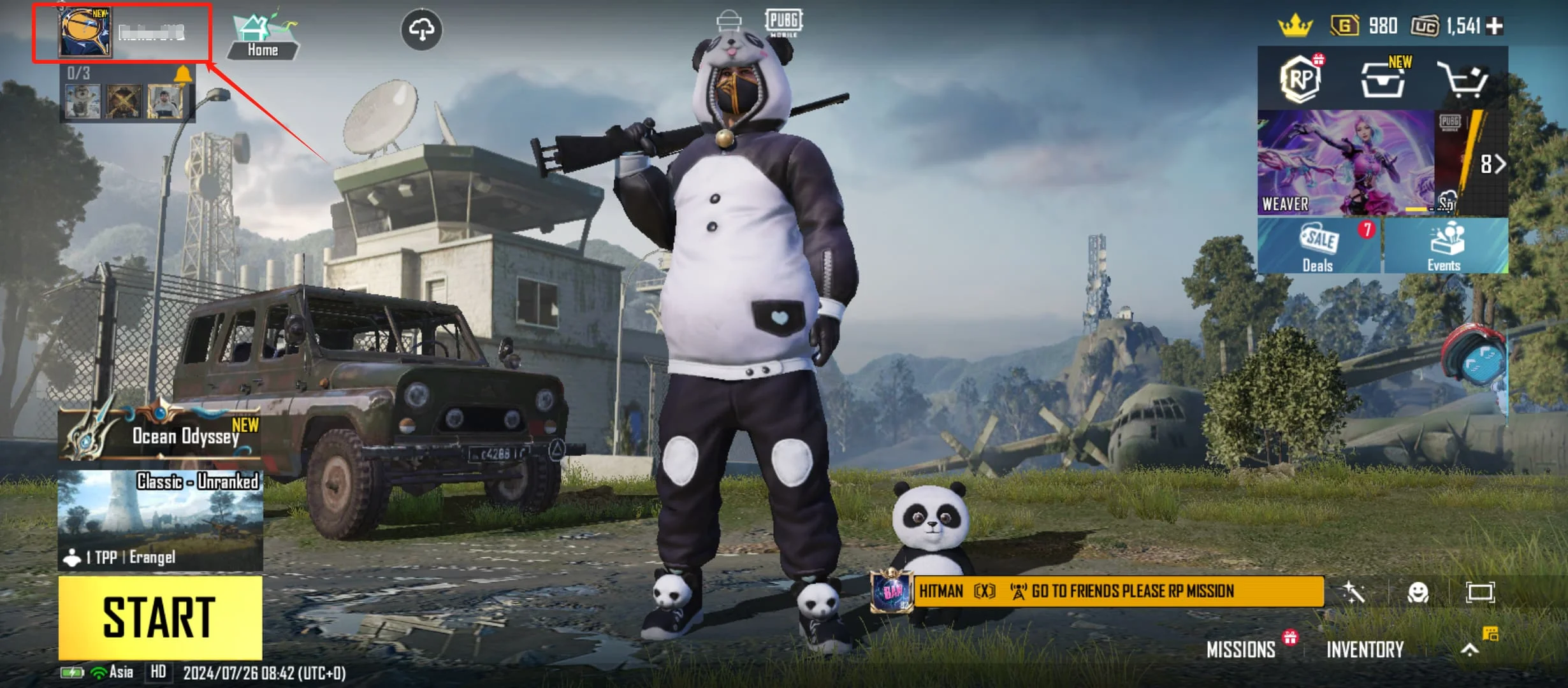
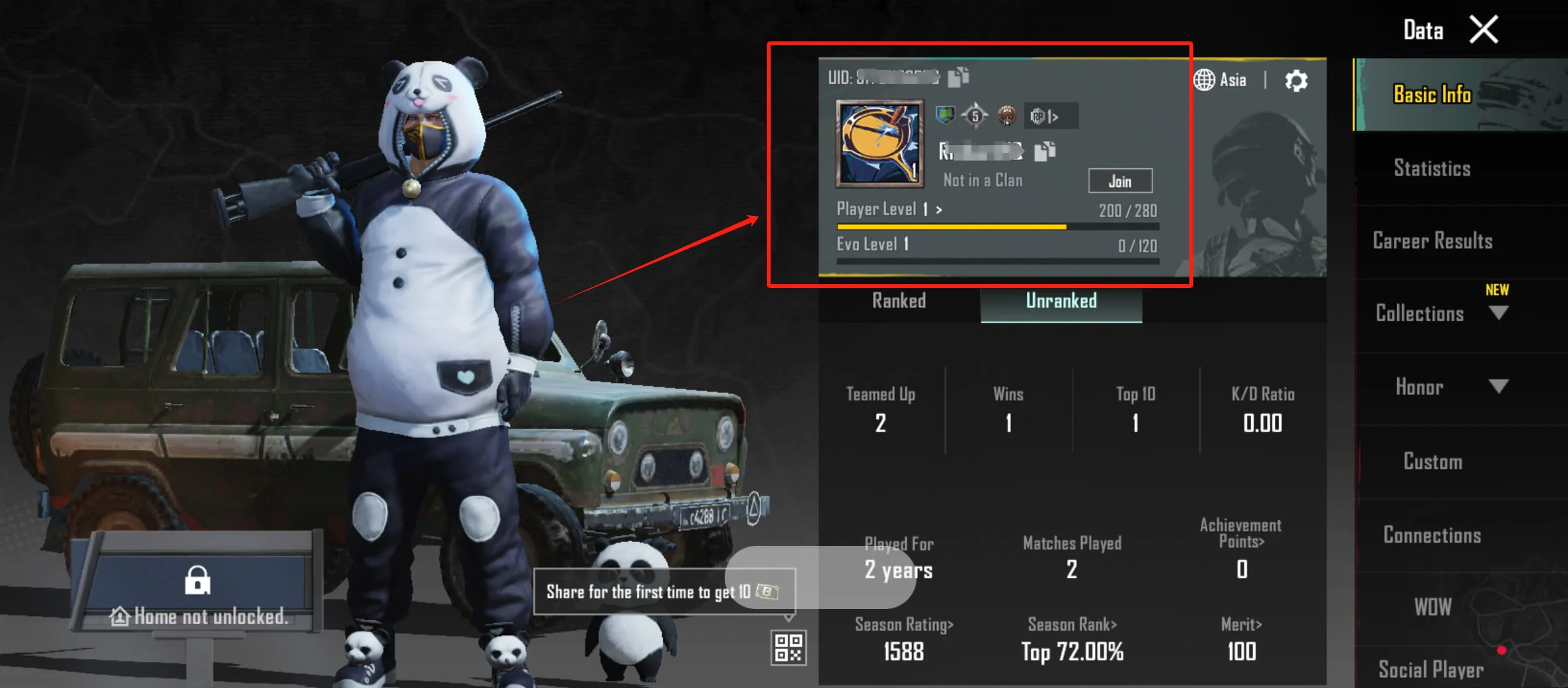
The UID is different from the in-game nickname. Before paying, check every digit and confirm that the UID belongs to a supported PUBG MOBILE Global version account.
No. The top-up only requires the PUBG MOBILE UID of the account receiving the UC. Your account password, social account login details, login codes, and verification codes are not required.
This product supports eligible PUBG MOBILE Global or International version accounts. Japanese, Korean, Taiwan, and Vietnam versions or servers are not supported. Eligibility depends on the game version used by the account rather than the player’s current location.
A UID is the numeric identifier used to identify a PUBG MOBILE game account. The in-game nickname is the display name selected by the player. Enter the UID when topping up; a nickname cannot be used instead.
No. Once the order has been processed, UC is credited directly to the game account linked to the submitted UID. Manual redemption is not required.
Yes, provided that the account uses a supported PUBG MOBILE Global version. Ask your friend to copy the complete UID and verify it carefully before payment. UC cannot be transferred to another account after delivery.
The order is processed after payment confirmation. Check the processing status on the UUTOP order page. Once the order is marked as completed, reopen the game and check the UC balance and in-game mail.
Reopen PUBG MOBILE and confirm that you are logged in to the correct account. Check the UC balance and in-game mail, then confirm that the UID in the order matches the current account. If the UC is still missing, contact UUTOP customer support with the order number, UID, and relevant screenshots.
4 Reviews
priced right for me
sweet price
quick result, happy with it
solid value overall