

YoHo
You can top up Coins for this product simply by entering your YoHo ID. No login required—it’s safe and fast.
SELECT OPTION







Description
How to Top Up
- Select the denomination you wish to top up
- Enter your YoHo ID
- Choose a payment method and complete the payment
- Wait for the funds to be credited to your account
What Are YoHo Coins?
YoHo Coins are the virtual currency used in the YoHo voice-chat app. Users can spend Coins on virtual gifts and other eligible in-app features.
How to Find Your YoHo ID
1.Open YoHo and log in.
2.Tap the profile icon in the bottom-right corner.
3.Find the numeric ID displayed on your profile.
4.Copy the ID directly to avoid entering the wrong number.
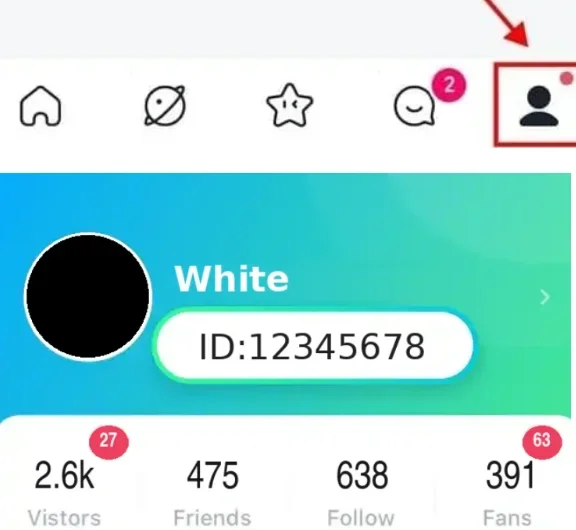
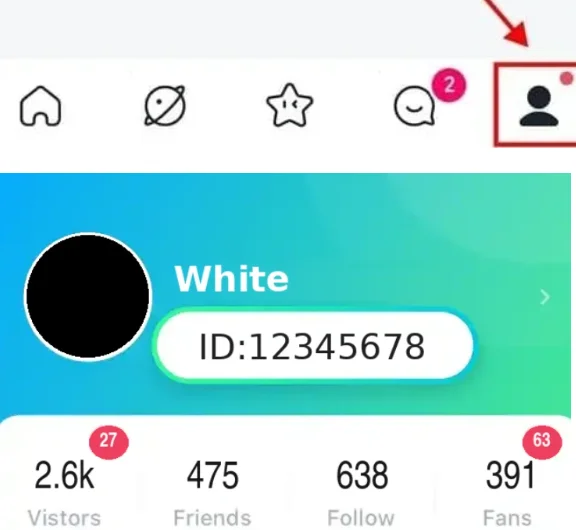
Use your numeric YoHo ID, not your nickname, phone number or invitation code.
Is It Safe to Top Up YoHo Coins on UUTOP?
1.UUTOP uses an ID-based top-up process
2.so you do not need to provide your YoHo password, verification code or social login details.
3.Before paying, check your YoHo ID, selected Coin package and final order total carefully.
Why Choose UUTOP for a YoHo Coins Top-Up?
1.UUTOP offers a simple direct top-up process.
2.You can select a Coin package, enter your YoHo ID and complete the payment without logging in to your YoHo account.
3.Available prices and payment methods are displayed at checkout.
Frequently Asked Questions
Q1:What information is required to top up YoHo Coins?
You normally need the receiving account’s numeric YoHo ID and the Coin package you want to purchase.
Q2:Do I need to provide my YoHo password?
No. Never share your password, verification code or social account credentials when purchasing Coins.
Q3:Can I top up Coins for another person?
Yes. Enter the recipient’s correct YoHo ID and confirm the selected package before paying.
Q4:What should I do if the Coins do not appear?
Reopen YoHo and check the balance again. If the order is complete but the Coins are still missing, contact UUTOP support with your order number and YoHo ID.