PUBG Mobile UC Top Up (Global)
Tips: Japan, Korea, Taiwan, and Vietnam servers are not supported.
Top up PUBG Mobile UC instantly with your Player ID. UC will be delivered directly to your account without redeeming a code.
How to Top Up
- Select the UC package
- Enter your PUBG Mobile Player ID
- Complete payment
- UC will be delivered directly to your account
Important Notes
• This product is for PUBG Mobile Global direct top up by Player ID
• Japan, Korea, Taiwan, and Vietnam servers are not supported
• Please make sure your Player ID and required information are entered correctly to avoid delays
• After the successful Pubg UC top-up, you can check your UC in the in-game mail.
SELECT OPTION
SELECT PAYMENT


Detailed Description
About PUBG Mobile UC Top Up (Global)
PUBG Mobile UC Top Up (Global) is a direct recharge service for PUBG Mobile players who want to add UC to their account using their Player ID. UC, also known as Unknown Cash, is the in-game currency used in PUBG Mobile to purchase supported in-game items, skins, crates, Royale Pass content, and other available digital items.
This is a direct top-up product. No redemption code is required. After the order is processed successfully, the UC will be delivered directly to the PUBG Mobile account linked to the Player ID you provide.
Server Notice
Japan, Korea, Taiwan, and Vietnam servers are not supported.
Please make sure your PUBG Mobile account belongs to a supported Global server before purchasing. Orders for unsupported servers may not be completed.
How to Top Up PUBG Mobile UC
- Select the UC package you want to purchase.
- Enter your PUBG Mobile Player ID correctly.
- Check your Player ID and order details before payment.
- Complete payment.
- UC will be delivered directly to your PUBG Mobile account.
- After the successful PUBG Mobile UC top-up, you can check your UC in the in-game mail or account balance.
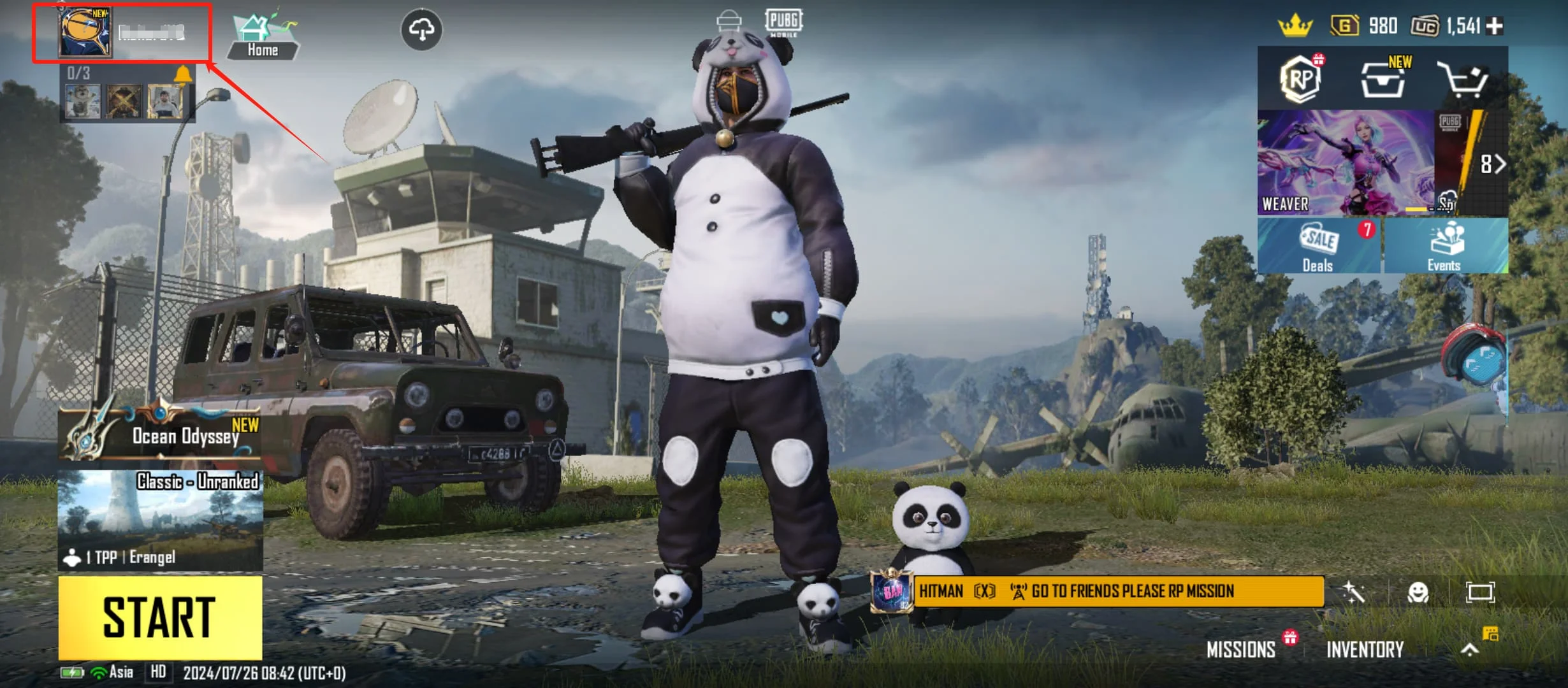
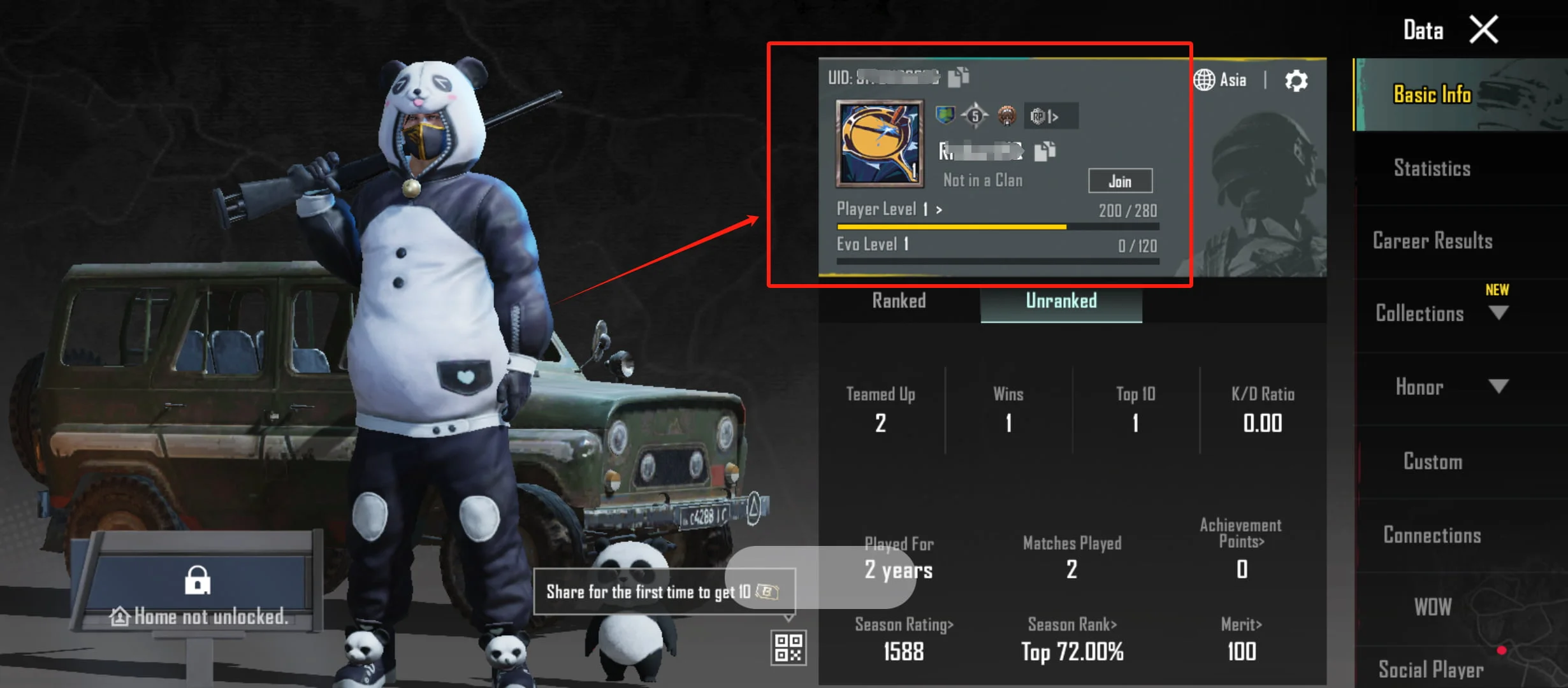
Where to Find Your PUBG Mobile Player ID
- Open PUBG Mobile.
- Go to your profile page.
- Find your Player ID displayed on your profile.
- Copy or enter the Player ID carefully when placing your order.
- Do not enter your nickname only. The Player ID is required for direct top-up.
Important Notes
• This product is for PUBG Mobile Global direct top-up by Player ID.
• Japan, Korea, Taiwan, and Vietnam servers are not supported.
• No PUBG Mobile account password is required.
• Please make sure your Player ID is entered correctly before payment.
• Orders with incorrect Player ID or unsupported server information may not be recoverable.
• Digital goods are non-refundable once delivered.
• UC delivery may depend on system processing, order verification, and PUBG Mobile account status.
Account and Region Restrictions
PUBG Mobile UC Top Up (Global) is only available for supported PUBG Mobile Global accounts. It does not support Japan, Korea, Taiwan, or Vietnam servers. Before purchasing, please confirm your account region and server eligibility.
If your PUBG Mobile account is registered under an unsupported server, the top-up may fail or may not be delivered correctly. Please check your account information before placing the order.
Security Reminder
UUTOP only requires your PUBG Mobile Player ID for this direct top-up service. We do not require your PUBG Mobile password, verification code, login details, or private account information.
Please do not share your account password or verification code with anyone. Only enter your Player ID on the order page when purchasing PUBG Mobile UC Top Up (Global).
FAQ
Q1: What is PUBG Mobile UC Top Up (Global)?
A: PUBG Mobile UC Top Up (Global) is a direct recharge service that adds UC to your PUBG Mobile account using your Player ID.
Q2: Do I need to redeem a code?
A: No. This is a direct top-up product. UC will be delivered directly to your account after successful processing.
Q3: Which servers are not supported?
A: Japan, Korea, Taiwan, and Vietnam servers are not supported.
Q4: What information do I need to provide?
A: You need to provide your correct PUBG Mobile Player ID.
Q5: Where can I check the UC after top-up?
A: After the successful PUBG Mobile UC top-up, you can check your UC in the in-game mail or your UC balance.
Q6: Can I refund the order after delivery?
A: Digital goods are non-refundable once delivered. Please confirm your Player ID and server before purchase.