-19%


278 Diamonds
$4.60
Buy
 EN
EN

An MLBB Diamonds top up requires two account details: your Mobile Legends User ID and Zone ID. Once you have them, open the relevant top-up page, select a Diamond package, enter both IDs, review the order, and complete the payment. The Diamonds are then delivered to the account identified by those details.
This guide explains how to top up MLBB Diamonds, compare packages, avoid scams, and resolve common delivery problems.
Diamonds are the premium currency in Mobile Legends: Bang Bang. Depending on what is currently available in the game, players can use them for purchases such as:
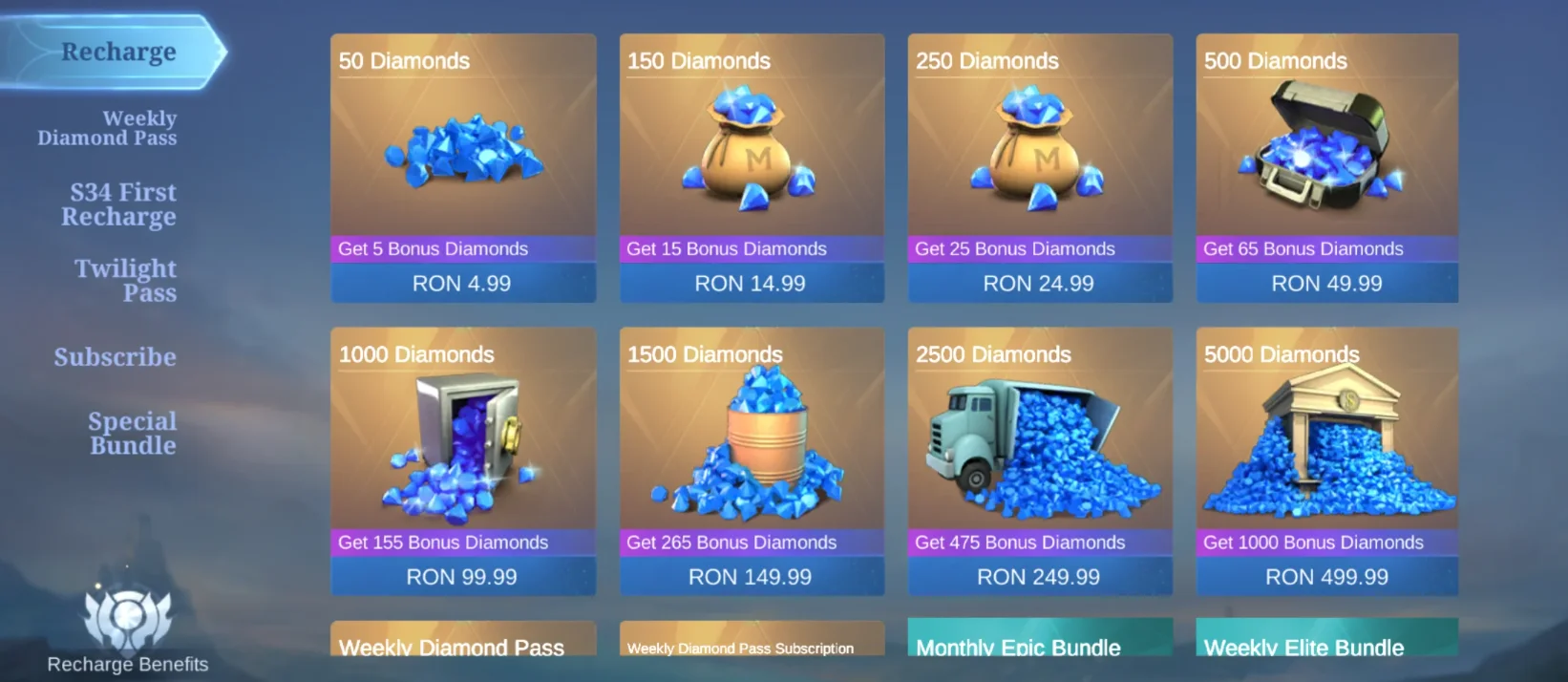
Because prices, events, bundles, and bonus offers can change, decide what you want to purchase before topping up. This gives you a practical Diamond target and helps you avoid buying more than you need.
Prepare the following before opening the checkout:
You do not need to share your Moonton, social media, or email password for an ID-based Diamond recharge.
Open Mobile Legends: Bang Bang and tap your avatar in the upper-left corner to enter your profile. Your account information commonly appears in a format similar to:
123456789(1234)
In this example:
123456789 is the User ID.1234 is the Zone ID.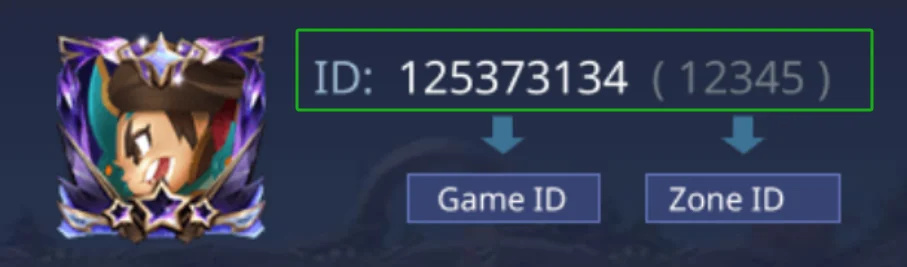
Go to UUTOP and locate the Mobile Legends: Bang Bang top-up product. Confirm the product name and eligibility information before choosing a package.
Use the current product page as the source for available packages and order requirements.
Compare the listed Diamond amounts and choose one that fits your planned purchase. Check whether the displayed amount includes any bonus component or special delivery condition.
Review the selected quantity as well. Increasing the quantity may add multiple copies of the same package.
Enter the two account identifiers into their corresponding fields. Compare them with the information shown in your MLBB profile before continuing.
Do not enter your nickname or password. The delivery system uses the numerical account details to identify where the Diamonds should be sent.
Before paying, confirm:
Choose an available checkout option and complete the payment. Keep the order number or confirmation until the Diamonds appear in the game.
Return to Mobile Legends and review your Diamond balance. If the game was already open during the purchase, refresh the relevant screen or restart the app.
If the balance has not changed, check the existing order before submitting another purchase.
UUTOP keeps package selection, account information, order review, and checkout within one purchase flow. This allows players to see what they are ordering and verify the submitted details before paying.
 Mobile Legends: Bang Bang (US)Top Up Now 19% Off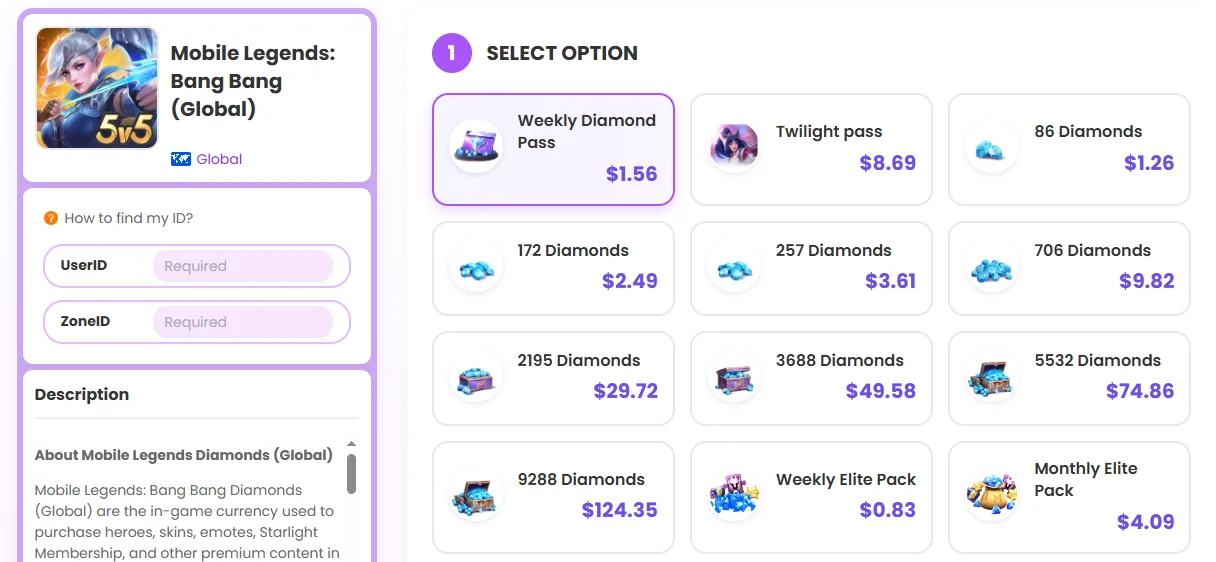
The process is based on the account identifiers required for Diamond delivery, so users do not need to share their Mobile Legends password. Order information can also be retained if customer support is needed.
For a smooth recharge:
These checks reduce common errors and make it easier to trace an order if assistance is required.
No. An ID-based top-up uses the User ID and Zone ID required to identify the receiving account. Do not share your Mobile Legends password.
Delivery starts after successful payment confirmation. The balance update can also depend on correct account details, order processing, and the game refreshing the latest balance.
Check the payment result, submitted IDs, order status, and in-game balance. If the order remains unresolved, contact UUTOP support with the order number.