

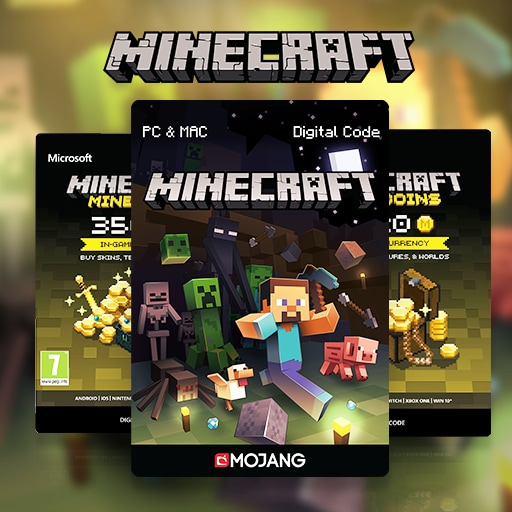
Minecraft Minecoins (Global)
 Global
About Minecraft Minecoins (Global):
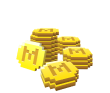
Minecraft Minecoins (Global) are digital credits used in the Minecraft Marketplace. You can use Minecoins to purchase supported worlds, skins, texture packs, mash-up packs, character items, and other Minecraft Marketplace content.
How to Redeem
- Select the Minecoins amount you want to purchase.
- Receive your Minecoins code after successful order processing.
- Redeem the code through the official Microsoft, Xbox, or Minecraft redemption channel shown in the product instructions.
- After redemption, check your Minecoins balance in Minecraft Marketplace.
Important Notes
• This product is for supported Minecraft accounts.
• Please redeem through official Minecraft, Microsoft, or Xbox channels.
• Make sure you are logged in to the correct account before redeeming.
• Minecoins can only be used for supported Minecraft Marketplace content.
• UUTOP does not require your Minecraft, Microsoft, or Xbox account password.
SELECT OPTION
SELECT PAYMENT

Detailed Description
About Minecraft Minecoins (Global)
Minecraft Minecoins (Global) are prepaid digital credits for Minecraft players who want to purchase content from the Minecraft Marketplace. Minecoins can be used for supported Marketplace items such as adventure maps, survival worlds, skins, texture packs, mash-up packs, mini-games, character creator items, and other digital content available in Minecraft.
This product is suitable for users who play Minecraft and want a convenient way to add Minecoins to their account. After the code is redeemed successfully, the Minecoins balance will be added to the account used during redemption.
How to Use Minecraft Minecoins
- Open the official redemption page or redemption method shown with your delivered code.
- Log in to the correct Microsoft, Xbox, or Minecraft account.
- Enter the Minecoins code exactly as received.
- Confirm the redemption details before submitting.
- Open Minecraft and go to Minecraft Marketplace.
- Check your Minecoins balance.
- Use Minecoins to purchase supported Marketplace content.
Where You Can Use Minecoins
Minecoins can be used in Minecraft Marketplace for supported digital content. Depending on availability, you may use Minecoins for:
• Skins and character items
• Texture packs
• Worlds and adventure maps
• Mash-up packs
• Mini-games and creator content
• Other supported Minecraft Marketplace items
Account and Platform Notes
Minecraft Minecoins are linked to the account used during redemption. Please make sure you are logged in to the correct Microsoft, Xbox, or Minecraft account before redeeming the code.
Availability may depend on account region, platform, Marketplace access, and Minecraft service rules. Before purchasing, please confirm that your account can access Minecraft Marketplace and supports Minecoins.
Security Reminder
Redeem your Minecoins code only through official Minecraft, Microsoft, or Xbox redemption channels. Do not enter your code on unknown websites, fake support pages, unofficial trading platforms, or third-party payment requests.
Keep your Minecoins code secure. UUTOP does not require your account password, verification code, or private login information.
FAQ
Q1: What are Minecraft Minecoins?
A: Minecraft Minecoins are digital credits used to buy supported content in Minecraft Marketplace.
Q2: What can I buy with Minecoins?
A: You can use Minecoins for supported worlds, skins, texture packs, mash-up packs, character items, mini-games, and other Marketplace content.
Q3: Where do I redeem the Minecoins code?
A: Redeem it through the official Microsoft, Xbox, or Minecraft redemption channel shown with your code.
Q4: Do I need to provide my Minecraft password?
A: No. Your Minecraft, Microsoft, or Xbox password is not required.
Q5: Can Minecoins be used on every platform?
A: Minecoins availability may depend on your Minecraft version, account, platform, region, and Marketplace access.
Q6: What should I check before redeeming?
A: Make sure you are logged in to the correct account and that your account can access Minecraft Marketplace.
