


How to Get Your PIN on UU TOP
After successfully placing an order, you can retrieve your PIN code directly from your order details page.
Follow these simple steps below.
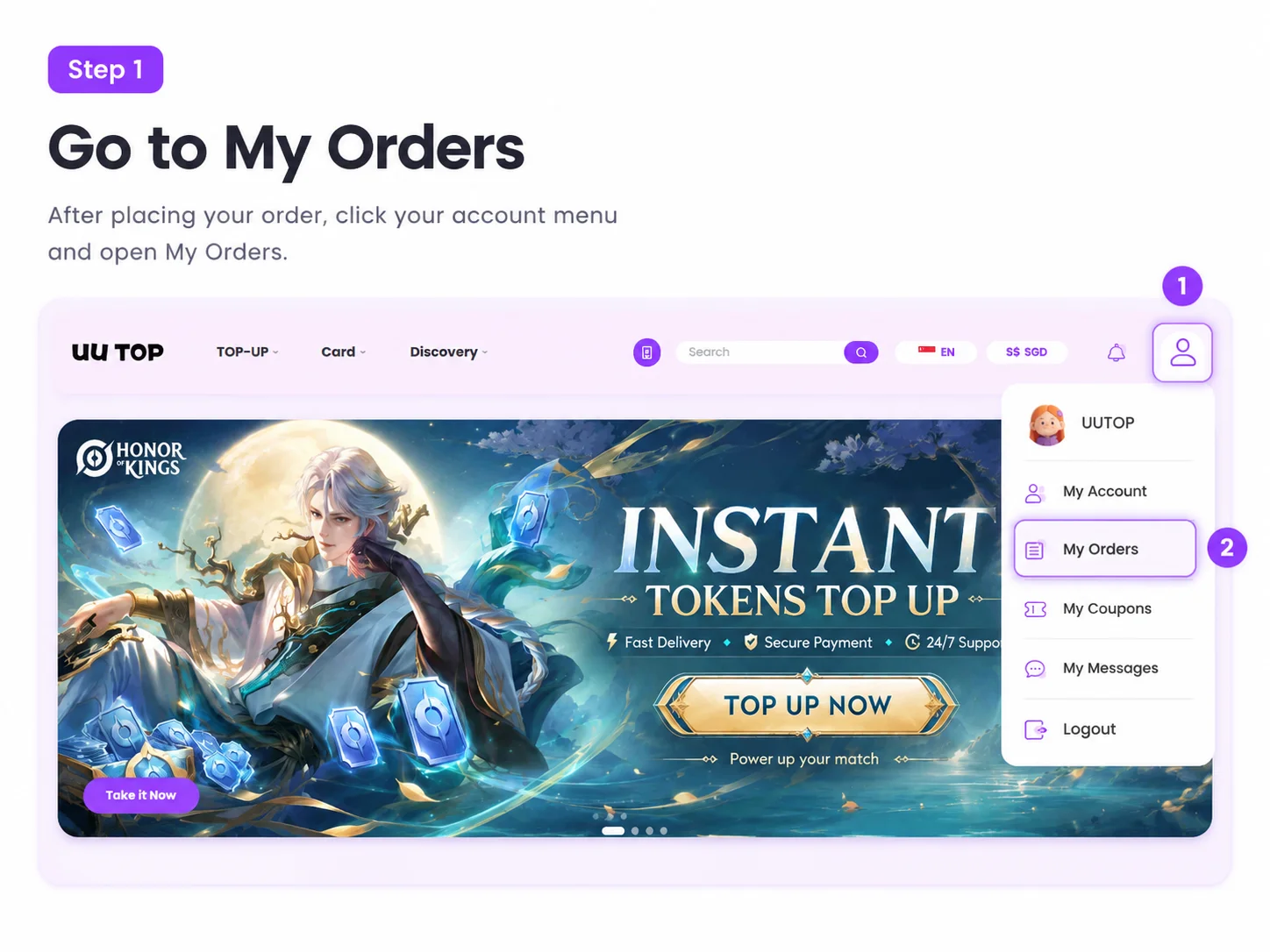
Step 1: Go to My Orders
Click the account icon in the top-right corner of the website.
From the dropdown menu, select My Orders.
You will be redirected to your order history page.
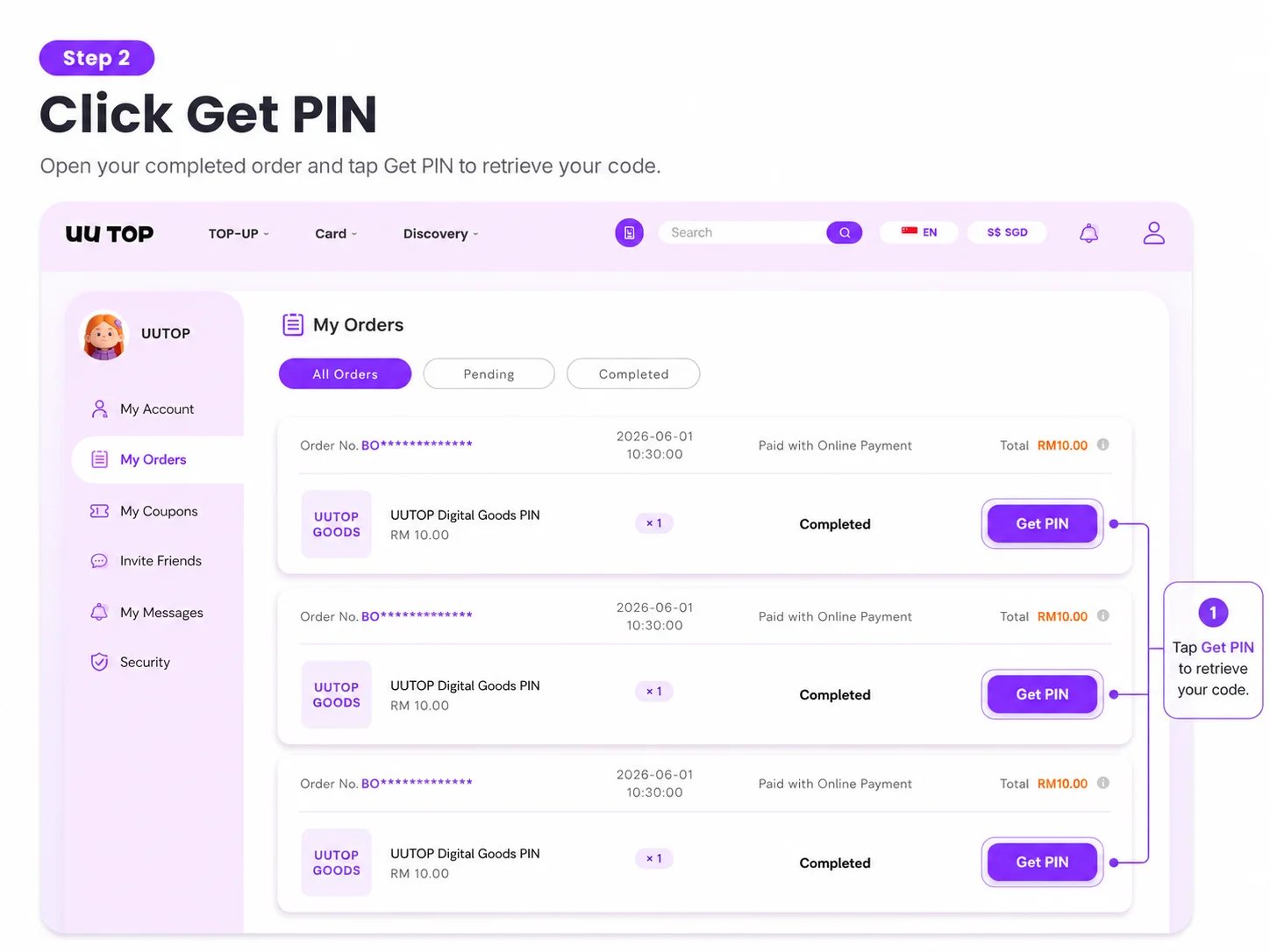
Step 2: Find Your Completed Order
Locate the order you want to view.
Make sure the order status shows Completed.
Click the Get PIN button next to the order.
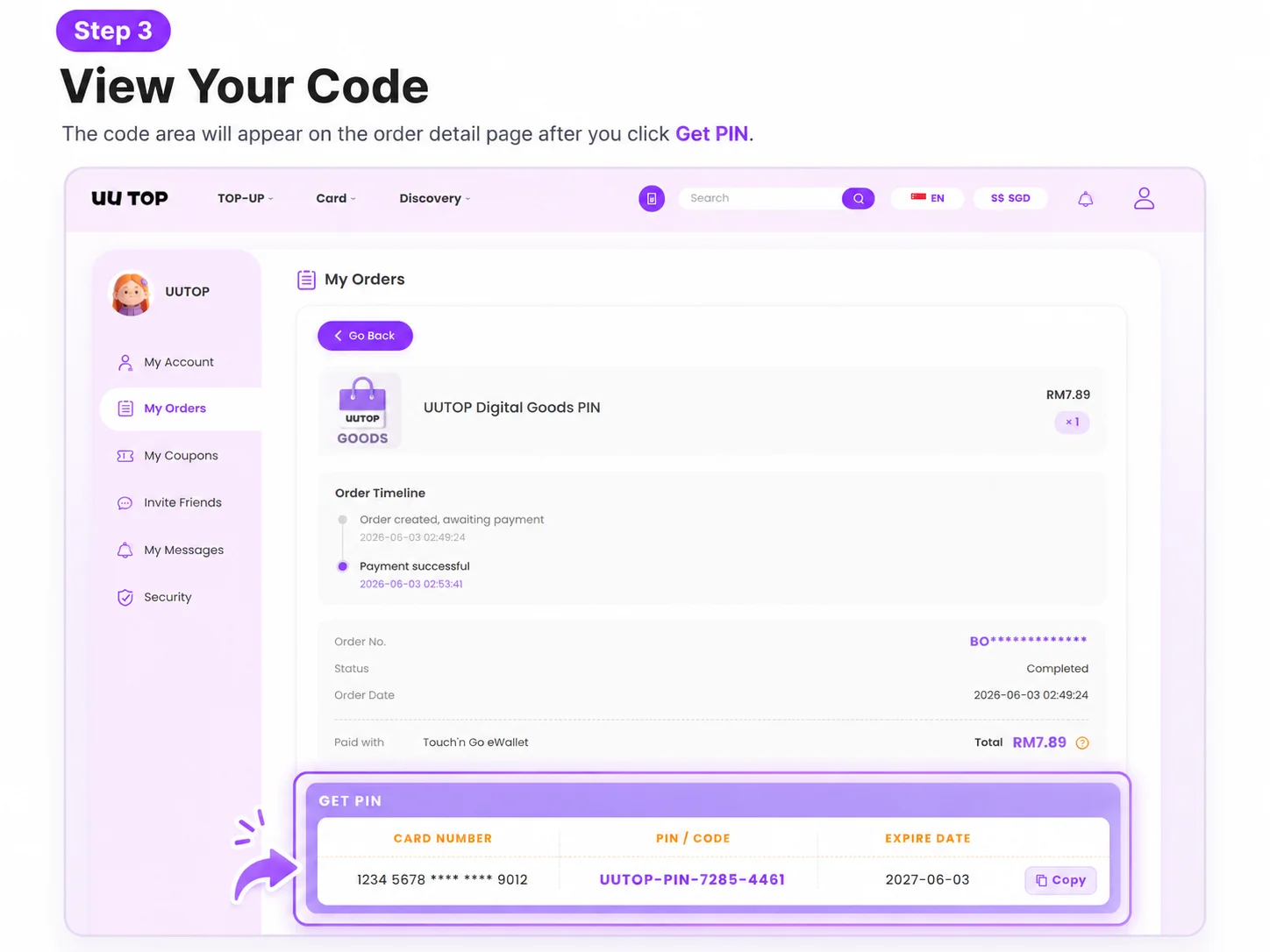
Step 3: View Your PIN Code
After clicking Get PIN, the order details page will open.
Your digital code will be displayed in the GET PIN section.
You can view:
- Card Number
- PIN / Code
- Expiry Date (if applicable)
Click Copy to quickly copy your code.
Important Notes
- PIN codes are available only after successful payment and order completion.
- Keep your PIN code secure and do not share it with others.
- Some products may not include an expiry date.
- Once a code has been delivered, it may not be eligible for refund or exchange.
Need Help?
If you cannot locate your PIN code or encounter any issues with your order, please contact the UU TOP Support Team for assistance.
