
25,500 Coins
$2.81
Buy
 EN
EN

You can top up Poppo Live Coins inside the app or through a User ID recharge service such as UUTOP. In-app purchases add Coins to the account currently signed in, while a UID top-up can recharge your account or another person’s account without requiring their password.
Poppo Live Coins are the platform’s virtual currency. Viewers can use them to purchase supported virtual gifts, interact with hosts and access other Coin-supported activities or digital content shown in the app.
Before buying Coins, consider how many you expect to use. A larger package only makes sense when the quantity matches your spending needs.
Available gifts, activities and prices may vary according to the account region, app version and Poppo Live platform rules.
Buying Coins inside Poppo Live is a direct option when you are recharging your own account.
A Poppo Live UID top-up uses the numerical User ID to identify the receiving account. It can be used when recharging your own account or purchasing Coins for someone else.
This method does not require access to the recipient’s account. However, the User ID must be correct before the order is submitted.
 Poppo Live Coins (Global)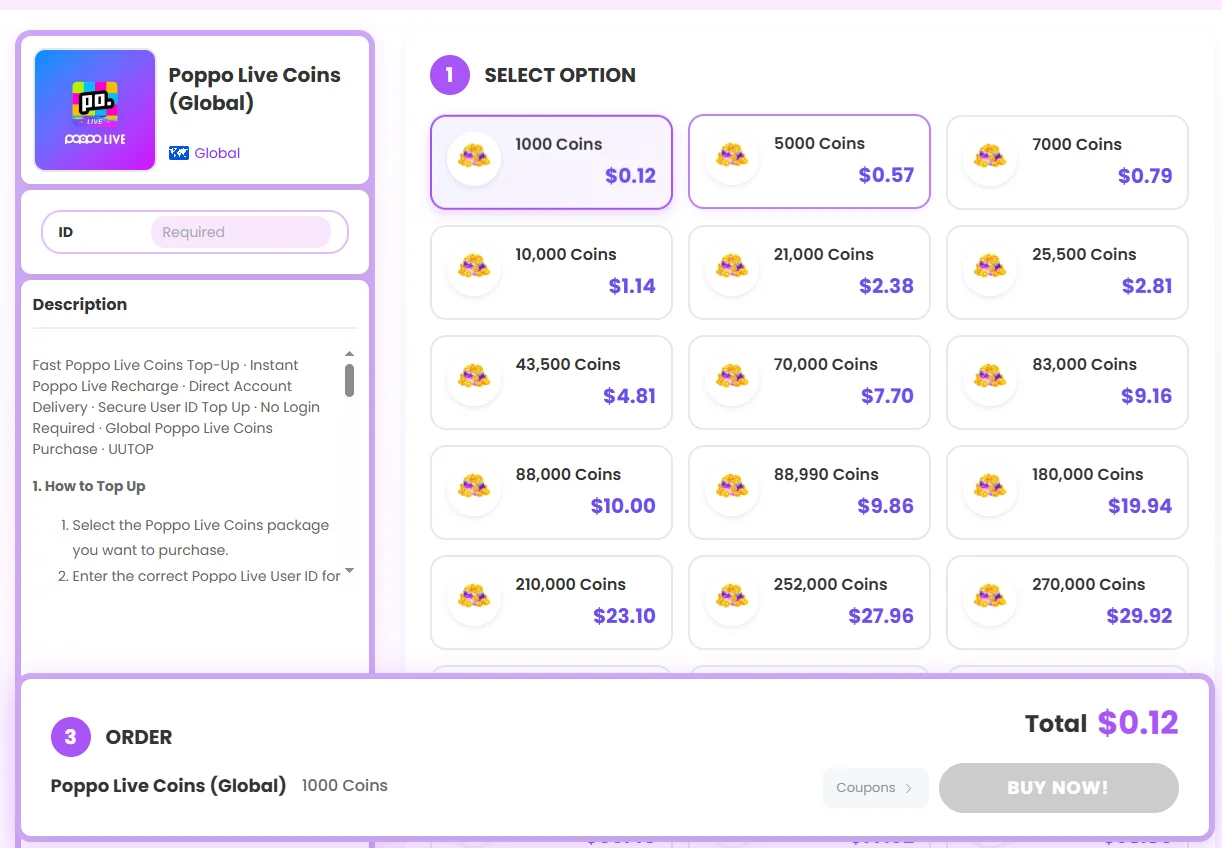
UUTOP offers a direct way to recharge Poppo Live Coins using a User ID. You do not need to log in to the Poppo account or enter a redeem code.
This option is useful when you want to top up your own account with a User ID or purchase Coins for another person. UUTOP provides multiple coin packages, displays the order status after payment and offers customer support if a top-up is delayed or missing.
Once the order is processed, the Coins are delivered directly to the Poppo Live account connected to the submitted User ID.
Poppo Live Coins are virtual currency used to purchase supported gifts, interact with hosts and access other Coin-supported activities or digital content in the app.
Yes. A Poppo Live UID top-up uses the recipient’s numerical User ID to deliver Coins to the correct account. Make sure the User ID is correct before submitting the order.
Open Poppo Live, go to your profile and find the numerical User ID shown in your account information. Copy the full number and do not use your nickname, phone number or email address instead.
